Branded client portal software for professional services firms
Share deliverables, video and updates with each client in one branded, secure space, and see which people on the client side actually use it.
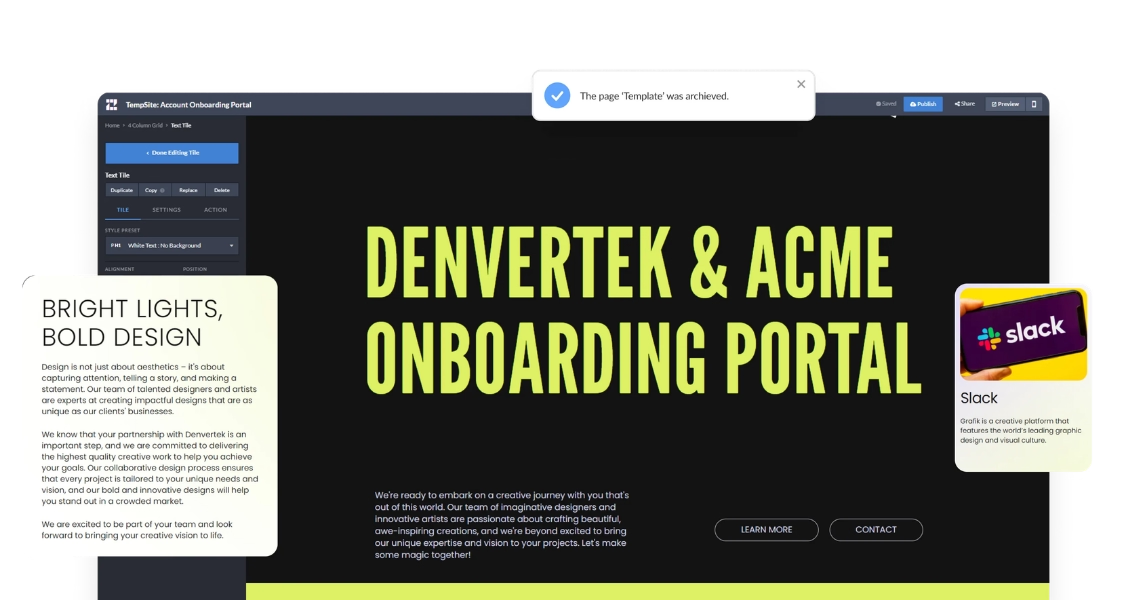
Share deliverables, video and updates with each client in one branded, secure space, and see which people on the client side actually use it.
A client portal gives each client one private address for everything your firm delivers: the kickoff deck, the project plan, recorded workshops, deliverables and status updates. Instead of searching email threads for the latest attachment, the client opens the portal and finds the current version with the context around it.
Zoomforth builds each portal as a branded microsite from a template, without code, and reports which people on the client side opened which section. For a broader guide, read what a client portal is and what it should include, or compare vendors in our review of client portal software for B2B teams. If the portal is for new customers, see customer onboarding software with branded onboarding portals.
Professional services firms share commercially sensitive work, so access is set per portal. Choose password protection, email authentication for named people or a whole email domain, multi-factor authentication, or SAML single sign-on through your identity provider.
Inside the portal, grant or limit access to specific sub-pages, documents and live streams, and hide content until the engagement reaches the right stage. On your side, four user roles control who can administer, edit and publish. Zoomforth is SOC 2 Type II audited and encrypts content in transit and at rest; the security overview has the detail your IT team will ask for.
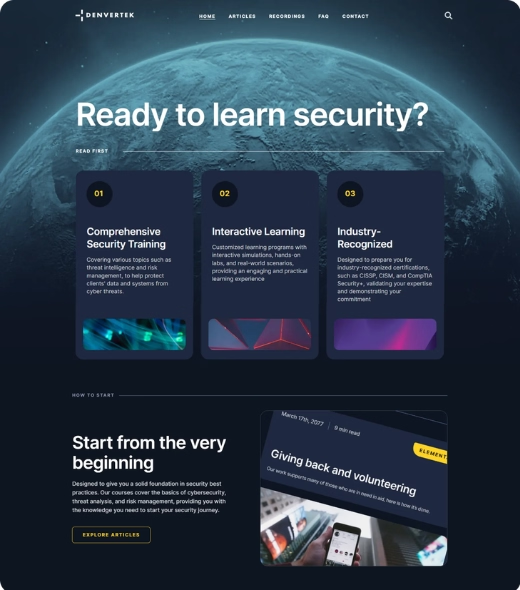
Your brand styling is built into every portal, and email notifications carry your branding and appear to come from your own domain.
See which named visitors opened the portal, which sections they read and for how long, so account teams know who is engaged before the next meeting.
Host PDFs, decks and recordings, embed a live stream for workshops, and keep the on-demand version in the same place afterwards.
Both give clients one place to go. They solve different problems, and many firms use both.
| Branded client portal (Zoomforth) | File-sharing portal | |
|---|---|---|
| Main job | Present content to a client with context and next steps | Store, sync and exchange files |
| Client experience | A navigable, branded site with video and sections | Folders and file lists |
| Access control | Password, email authentication, MFA or SAML SSO per portal; per sub-page permissions | Per folder or per file sharing |
| Engagement data | Which client stakeholder read which section, and for how long | Usually downloads or access logs |
| Best for | Onboarding, deliverables, updates and renewals your client should read | Two-way file exchange and document version control |
Portals that walk new clients through kickoff, contacts and first deliverables.
How an insurance services firm builds a portal for each client's employees.
Five portal types, from onboarding to account management.
Three of the Big Four accounting firms and global consulting firms use Zoomforth to share client work, and Zoomforth is rated 4.76/5 on G2.
When I licensed ZF, I expected a great product, but what I've gotten is 10x better. I'm always treated as a priority, and in turn, I have a beautiful end product to offer my clients and their employees.
Lindsay Obrentz, Vice President of Marketing & Communications at The Orientation Company
A Big Four proposal team that closed multiple Fortune 50 deals with microsites.
Microsites as part of a consulting firm's digital transformation.
A client portal is a private, branded website that a firm shares with one client to deliver documents, video, updates and next steps in one place, with access limited to approved people. It replaces scattered email attachments and shared-drive links with a single address the client can return to.
Professional services firms, consultancies and account teams that deliver a lot of content to each client: onboarding materials, deliverables, recorded sessions, project updates and renewal documents. Three of the Big Four accounting firms use Zoomforth.
A file-sharing portal stores and exchanges files. A client portal presents them: it wraps documents in a branded, navigable site with context, video and next steps, and reports which client stakeholders read what. File-sharing tools remain the better fit for two-way file exchange and document version control.
Each portal can be password protected, restricted to approved email addresses or whole email domains through emailed login links, protected with multi-factor authentication, or placed behind your SAML single sign-on. Zoomforth is SOC 2 Type II audited and encrypts content in transit and at rest.
Yes. You can grant or limit access to specific sub-pages, documents and live streams, hide content until it is ready and reveal it later, and share a portal with individual people or with an entire email domain.
Pricing is quote-based and depends on the number of user seats and add-ons such as a custom domain or integration. Request a demo for a quote.
Bring teams together with a data-rich collaborative ABM solution. Build custom microsites, engage target accounts with personalized digital content experiences, and analyze in real-time—all in a single, intuitive platform.
Learn more: Account-based marketing platform for personalized ABM micrositesCreate branded, interactive content experiences with our enterprise content marketing platform. Share dynamic content, win more business, and track how your audience engages with your brand—Zoomforth has you covered.
Learn more: An enterprise content marketing platform to take control of your brandInteractive, promotional microsites to host your competition, sweepstakes, or contest.
Learn more: Grow your brand with custom contest and sweepstakes micrositesShowcase your creativity with personalized, branded microsites.
Learn more: A creative agency platform for captivating customer experiencesGive every new customer one branded, secure portal for welcome content, training and kickoff materials, then keep using it for QBRs and renewals. Never lose an email attachment again.
Learn more: Customer onboarding software with branded onboarding portalsGive every buying group one branded, secure room for the proposal, the evidence and the next steps, and see which stakeholder read what.
Learn more: Digital sales room software for enterprise dealsEnterprise software for lead generation: elevate your customer experience with custom-built, on-brand microsites.
Learn more: An enterprise lead generation platform for quality B2B leadsAn intuitive product page improves user experience and streamlines sales. Guide your customers through a clear buying experience with a personalized product microsite.
Learn more: Build personalized microsites for every product launchTalent acquisition is a highly competitive undertaking. Communicate organizational value, not just a job description.
Learn more: Enterprise recruitment software for branded micrositesEmpower your sales team with dynamic content and customized client engagement
Learn more: Sales enablement platform for enterprise teams
 Trusted by Fortune 500 sales, marketing & HR teams


