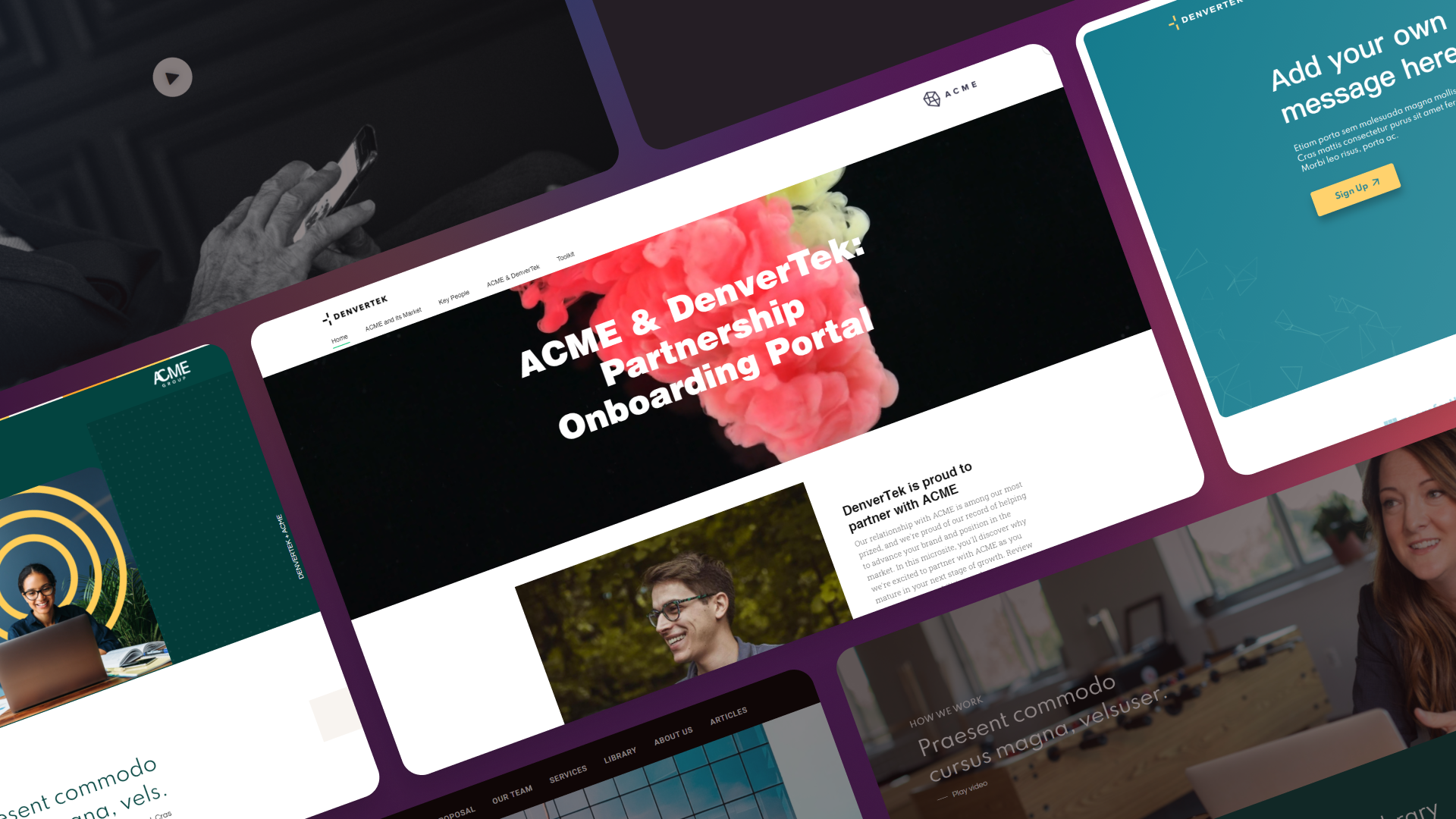
Microsites are powerful tools that pack a punch. From paperless options for deliverables to secure web sharing, a microsite allows you to leverage web tools to meet a range of needs.
Creating a microsite that does all of these things comes down to the platform you build it on — and, if the platform is the wrong one, to whether you can get developer time. This guide covers what to look for, and when you genuinely need a microsite developer rather than a better tool.
Ready to go digital?
Discover how Zoomforth can help you.
Join enterprise sales, marketing and HR teams building trackable microsites — no developer needed.
Rated 4.6/5 on G2 · Trusted by Fortune 500 teams
Thanks — we've got your request.
Check your inbox: we've just emailed you a link to book your demo with Wendie.
We'll email a written quote for your team to the address you gave us by the next business day.
While you wait, browse real microsites in our microsite inspiration gallery, learn the basics in the Zoomforth Academy, or see what's included in Zoomforth pricing.
What to look for in a microsite platform
An intuitive microsite editor
Creating and editing your microsite should be simple.
The right microsite builder cuts out the complication of coding and uploading tools that are hard to navigate. These barriers may discourage some from hopping on board with digital communication strategies, making it difficult to establish a consistent delivery method across your team.
An effective microsite builder features simple development tools that make it possible for anyone on your team to create and share a microsite.
Zoomforth makes microsite development easy with an intuitive drag-and-drop platform that doesn’t require any coding. It’s user-friendly enough for anyone to use and develop a robust, seamless microsite.
It features a simple-to-use site editor that makes editing a transparent process, so there’s no need to go through several iterations of site editing before publishing. What you see is what you get when it comes to text editing, image cropping, and adjusting margins.
Premade templates can be reworked in the theme editor to use your custom branding and style presets. Zoomforth even creates your first template for you using your brand guidelines!
Other ways you can customize your content include:
- Dragging and dropping content from your media library
- Adding widget features like social media icons, forms, and search bars
- Interactive content features such as maps, chatbots, and newsfeeds
Clear performance analytics
Knowing how your microsite is performing allows you to make the most of its features. Ineffective messaging and a lack of pre-sales resources are common reasons businesses don’t close sales. Analytics cut the guesswork out of the early stages of communication and allow you to capitalize on the time and resources you need to stand out from the crowd.
Your microsite builder should return both high-level and granular site and user data. Strong analytics features allow businesses to identify gaps in asset strategy. These insights are highly valuable when it comes to understanding what pieces of communication are most valuable to different targets.
Robust analytics should allow you to see information like:
- Who is accessing your microsite
- When they access your microsite
- What they most engaged with, downloaded, or shared
- Engagement time with different site elements
If your microsite is going to be used to create innovative business-to-business communications, then you’ll also want a microsite builder that notifies you about user engagement in real-time. Receiving notifications about stakeholder engagement with shared proposals and marketing material allows you to strategically execute a well-timed follow-up strategy.
Timing isn’t the only thing you can leverage, either. Granular-level site data also gives you insight on what information to include in your follow-up communications since you know exactly which key material was engaged with and what may have been missed.
Extensive security features
Cyber security is a growing concern across industries. The convenience of online communication leaves us prone to the risk of cyber attacks: the global average cost of a data breach reached $4.44 million in 2025, according to IBM’s 2025 Cost of a Data Breach Report.
So much uncertainty and risk put businesses on the line for loss in several ways, including:
- Being financially responsible for damages in the form of compromised personal information
- Lost business due to poor security practices
- Competitor insight through leaked information, leading to lost revenue
Like many catastrophes, the likelihood of it happening to you may seem distant until it’s not.
The right microsite builder should give the option to do more than just password protects your microsite. It should offer a range of security measures that keep your enterprise information safe and the data of your visitors safe as well.
Zoomforth features many security measures, including:
- Password protection
Create a password-protected site that requires users to have access to a privately shared link and password
- Multifactor authentication
Require approved users to enter one-time codes sent to their mobile device before accessing shared material
- Email Authentication
Limit access with email-based log-ins.
- Security Assertion Mark-up Language (SAML) and Single Sign-On (SSO)
Integrate your microsite with your company’s internet system for streamlined access.
At Zoomforth, we believe that your information is your own. That’s why our business is run on a zero-trust corporate network, which means that we don’t gain access to your content as your run on Zoomforth’s network.
Other great features offered by a microsite builder
A variety of microsite templates
Not sure how to begin designing your microsite? That’s why a microsite builder must offer you templates that you can use to get started. There are many design considerations you’ll need to evaluate, and having a good template can cut down the time it takes to make those decisions.
Zoomforth offers a range of templates you can use to get started. Here are a few templates that you can use to create innovative communication material:
Drag and drop editing makes it easy to customize templates as much as you’d like so that they are a reflection of your brand’s unique values and aesthetics. It helps keep everything consistent, from HR material to client proposals, a clean microsite elevates enterprise communication.
Plus, there’s no need for coding in widgets or figuring out the right HTML code for font manipulation—anyone and everyone can make the most out of digital communication with the right microsite builder.
Automated mobile microsite layouts
A lot happens while we’re away from our desks. Handheld devices make it possible for us to access anything anywhere at any time. That means that mobile access to digital content is no longer the exception, but rather the expectation. A microsite builder that allows you to easily adapt to the dominance of smartphone use means that you can make the most out of your digitally shared content.
Zoomforth automatically ensures that your microsite is mobile-friendly and allows you to enhance a mobile user’s experience with the mobile content prioritization tool. Plus, you can preview your content on a mobile layout before it’s shared.
It eliminates the extra step of refitting your content for different mobile devices so that you can keep everyone up to speed, whether they’re using a phone or a laptop.
Responsive microsite builder support
If you’re new to creating microsites, you’ll need support. We’ve all been on customer service lines for hours just to make a simple fix. Your microsite builder should have an award-winning customer service team that takes your experience seriously.
While Zoomforth’s platform is user-friendly enough for anyone to use, we’re committed to offering support whenever it’s needed. All of our users have access to the Zoomforth Academy, a series of videos and articles that will make you an expert in our platform’s features in no time. It’ll walk you through everything you need to know whether it’s design or analytics.
Still have lingering questions? Our team has curated a collection of staff-written articles about microsite design and implementation that get into the nitty-gritty details you may still have questions about. Our microsite experts are here to help you with questions about design, security, and site analytics so that you get the most out of your microsite.
When do you actually need a microsite developer?
Most microsites do not need one. If your platform covers the features above, a marketer or recruiter can build and publish without writing code, and bringing in a developer adds a queue rather than quality.
There are four cases where a microsite developer earns their fee:
- A custom interaction the platform cannot express — a configurator, a calculator, a bespoke data visualisation tied to live data.
- A non-standard integration — pushing form submissions into an internal system that has no native connector, or pulling content from a proprietary CMS.
- Strict design compliance on a flagship launch — a brand team that needs pixel-exact parity with an existing campaign system, beyond what templates allow.
- Scale automation — programmatically generating hundreds of account-specific sites from a data source rather than cloning them by hand.
Everything else — layout, branding, media, gated access, analytics — is a platform question, not a developer question. If your team is booking developer time to change a headline or swap a logo, the tool is the problem. Compare options in the microsite platform comparison.
Get everything out of your microsite platform with Zoomforth
Microsites cover a wide range of needs, from sales proposals to onboarding hubs, but not all microsite builders are the same.
Make the most out of what your microsite has to offer with an enterprise microsite builder built for teams without developers.
Zoomforth removes the build work, and its security and analytics features allow you and your target audience to make the most out of purposefully designed landing pages.
There’s no need to hire web developers, ask your marketing or sales team to code, or struggle with clunky platforms. Ready to see how Zoomforth can help you make the most out of a microsite? Try a demo with us today.
Frequently asked questions
What is a microsite builder?
A microsite builder is software that lets teams create standalone web pages or small sites for a specific audience and purpose — a sales proposal, a campaign page, a recruiting hub, or a client portal. Enterprise-grade microsite builders add brand enforcement, visitor analytics, and access controls on top of basic page-building.
What features should a microsite builder have?
The three essential features for an enterprise microsite builder are: (1) intuitive no-code editing so non-technical teams can build and update sites without developers; (2) brand controls that enforce your visual guidelines across every site your team creates; (3) visitor analytics that show who viewed the site, which sections they read, and how long they engaged.
What is the best microsite builder for enterprise teams?
Enterprise teams need a microsite builder with SOC 2 Type II security, SSO/SAML authentication, multi-user management, and granular per-visitor analytics — not just aggregate traffic. Zoomforth is purpose-built for enterprise use cases: sales proposals, RFP responses, recruiting microsites, and client portals.
How is a microsite builder different from a website builder?
A website builder creates your main company presence. A microsite builder creates purpose-specific sites for targeted audiences — a single prospect, a candidate cohort, a specific client. Microsite builders are faster to use, include audience-specific analytics, and are designed for volume: enterprise teams often create dozens of microsites per month using templates.