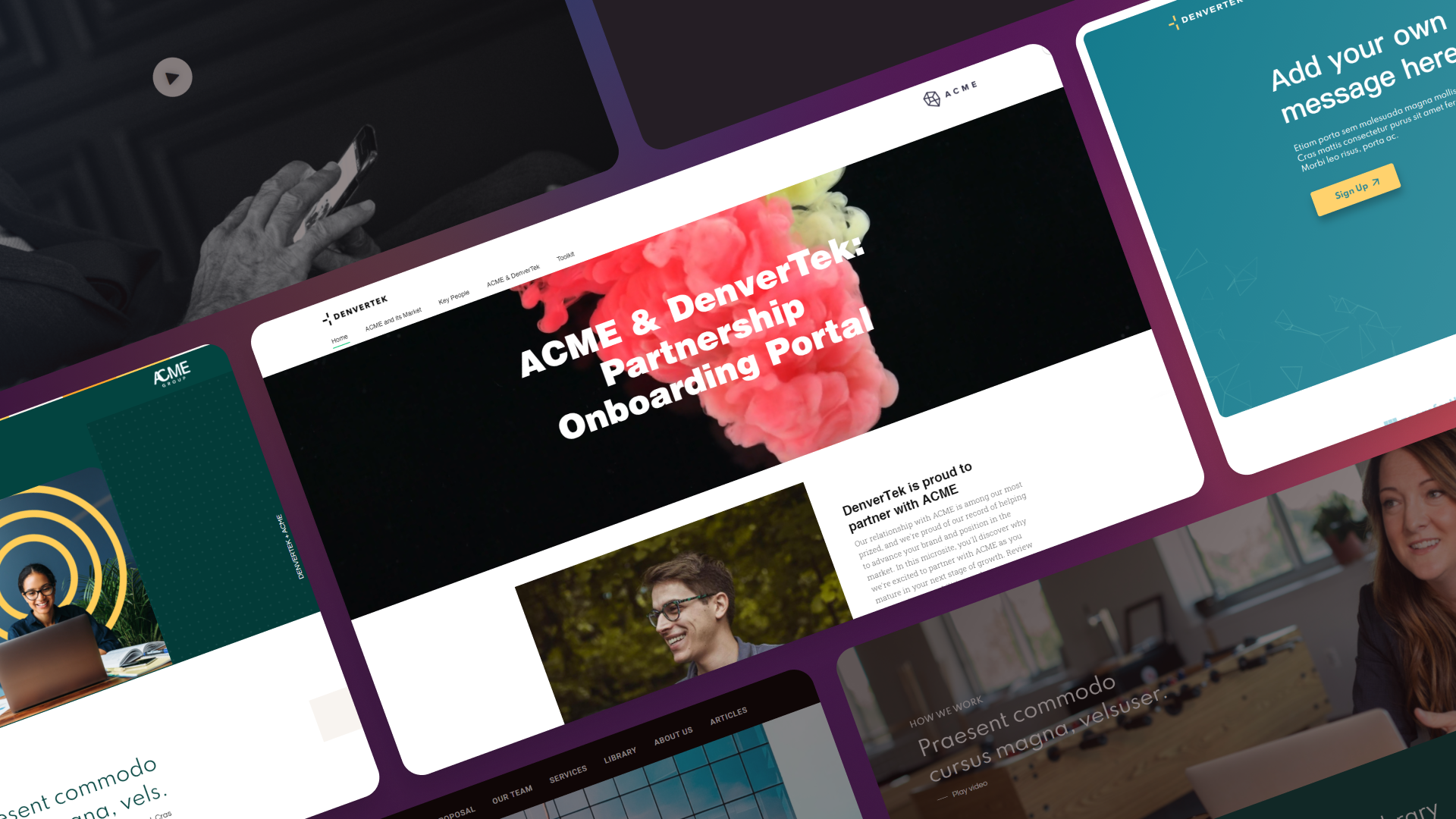
Most teams start this search after the same experience: a proposal or campaign page needed to go out fast, someone built it in a tool that wasn’t designed for the job, and it worked — once. The second and tenth time exposed the gaps. This guide compares the realistic categories of no-code microsite builder, and where each one is actually the right fit for a B2B team.
Ready to build your first microsite in hours?
Join enterprise sales, marketing and HR teams building trackable microsites — no developer needed.
Rated 4.6/5 on G2 · Trusted by Fortune 500 teams
Thanks — we've got your request.
Check your inbox: we've just emailed you a link to book your demo with Wendie.
We'll email a written quote for your team to the address you gave us by the next business day.
While you wait, browse real microsites in our microsite inspiration gallery, learn the basics in the Zoomforth Academy, or see what's included in Zoomforth pricing.
Why “no-code microsite builder” means different things to different buyers
The phrase covers three genuinely different categories of software, and conflating them is the most common evaluation mistake.
A general-purpose website builder — Webflow, Squarespace, Wix — is designed to build and maintain one company website. It is not designed to let a sales or marketing team spin up a new branded page every time a proposal, event, or account needs one.
A presentation or interactive-document tool — Canva, Beautiful.ai, Google Slides — is designed to produce a single document or deck, usually consumed in one sitting by one audience. It is not designed to be a persistent web property with its own URL, access rules, and long-term analytics.
A content experience platform — Zoomforth is one example — is purpose-built for teams that need to launch many branded microsites, each trackable at the individual-visitor level, without involving developers each time. This is a narrower category solving a narrower problem: volume, governance, and accountability across dozens or hundreds of pages rather than one.
Knowing which of these three problems you actually have determines which tool solves it.
Who actually needs a dedicated microsite builder vs. a general website builder
The honest answer is that most companies need exactly one Webflow or Squarespace site: the corporate website. That is what those tools are built for, and they do it well.
The signal that a team has outgrown a general website builder and needs a dedicated microsite builder is volume paired with personalization. If your sales team sends ten proposals a month, each one branded for a different account, a general website builder becomes a bottleneck — every new page means a designer or developer touching the site, and there is no clean way to keep one hundred campaign pages organized, access-controlled, and reportable as a set.
Marketing teams hit the same wall with account-based marketing campaigns. A single ABM landing page in Webflow is straightforward. Fifty ABM microsites, each personalized for a target account and each needing its own analytics, is a different scale of problem — one that general website builders were never built to solve efficiently.
If your need is a single, relatively static site that changes a few times a year, a general website builder remains the right tool. If your need is many sites, launched often, each requiring brand consistency and its own performance data, that is the point where a purpose-built microsite builder earns its cost.
4 evaluation criteria for enterprise microsites: brand, analytics, SSO, duplication
Once volume justifies a dedicated tool, the evaluation criteria for enterprise buyers differ from what a consumer or small-business website builder review would cover.
Brand governance across templates. With one website, brand consistency is enforced by one design file. With dozens of microsites built by different people on different teams, brand governance has to be built into the platform — locked color palettes, approved fonts, and template structures that a non-designer cannot break. Ask any vendor how a rep in a regional office keeps a proposal microsite on-brand without design review on every page.
Visitor-level analytics. Aggregate traffic numbers are not useful for a sales proposal or a campaign microsite. What matters is knowing which named stakeholder opened the page, which sections they read, how long they stayed, and whether they returned. This is the analytics depth that separates a microsite builder from a general website builder, which typically reports only session-level, anonymized traffic.
Enterprise security and SSO. Buyer-facing and client-facing microsites often carry sensitive proposal pricing, contract terms, or onboarding material. Enterprise procurement will ask about SSO and SAML support, password protection, multifactor authentication, and how the vendor handles data — questions that consumer-grade website builders are rarely built to answer at the level enterprise security review requires.
Ease of duplicating a site for a new account or campaign. This is the operational test that most reveals whether a tool fits the B2B microsite use case. Ask specifically: how many clicks does it take to duplicate an existing microsite, swap the account name and logo, and publish? In a general website builder, this usually means rebuilding a page from scratch or cloning an entire site structure not designed for reuse. In a purpose-built microsite builder, template duplication is a core workflow, not a workaround. The same test decides whether a tool works as a partner microsite builder: a channel program needs one approved site per reseller or partner, with their logo and contacts swapped in and the core content locked.
None of these four criteria show up in a typical “best website builder” comparison, because most website builder buyers are not solving for volume, governance, or per-visitor tracking. They matter specifically for B2B teams producing many branded experiences.
Website builders vs deck tools vs content experience platforms: 8 criteria
| Criteria | General website builders (Webflow, Squarespace) | Presentation/document tools (Canva, Beautiful.ai) | Content experience platforms (Zoomforth) |
|---|---|---|---|
| Best for | One company website | One-off decks and documents | Many branded, trackable microsites |
| No-code editing | Yes | Yes | Yes |
| Built for launch volume | No — one site, rebuilt rarely | Yes for decks, no for web pages | Yes — templates built for reuse |
| Brand governance across many pages | Manual, design-file dependent | Limited, per-document | Built-in template and style locking |
| Visitor-level analytics | Aggregate, session-based | Minimal or none | Per-visitor, per-section engagement |
| Enterprise SSO/SAML | Varies by plan | Rare | Standard for enterprise plans |
| Fast duplication for new accounts | Limited | Yes, for a single document | Core workflow |
| Persistent, indexable web page | Yes | No — typically a shared file or embed | Yes |
Reading the table by row rather than by column is the more useful exercise: pick the two or three criteria that actually block your team today, and let those narrow the list before a single demo call happens. For a vendor-by-vendor shortlist, see our comparison of the best microsite builders.
What’s the best way to build a campaign microsite without coding?
If your team needs one well-designed company website that changes a handful of times a year, a general website builder like Webflow or Squarespace remains the better investment — a content experience platform would be over-built for that job.
If your need is a single, one-time interactive deck for a specific meeting, Canva or Beautiful.ai will get it done faster than building a microsite would, and a web page with its own URL and access controls is more infrastructure than the task requires.
If your team is regularly producing branded, trackable experiences for external audiences — sales proposals, RFP responses, campaign microsites, client and partner portals — and needs brand consistency, per-visitor analytics, and enterprise security across all of them without a developer involved each time, that is the specific problem a content experience platform like Zoomforth is built to solve. It is not a replacement for your company website or your slide deck software; it is the tool for the volume of branded, purpose-built pages that both of those categories leave unaddressed.
For the specific feature checklist to bring into a vendor evaluation — editor usability, brand controls, analytics depth, and security specifics — see our breakdown of essential microsite builder features. And if you’re ready to see the build process itself, our guide on how to create a microsite walks through it step by step.
Ready to launch branded microsites without waiting on developers? Request a demo.
Frequently asked questions
What is a no-code microsite builder?
A no-code microsite builder is software that lets non-technical teams create standalone, branded web pages — for a sales proposal, campaign, or client portal — without writing code. The best ones add template governance, visitor-level analytics, and enterprise security on top of basic drag-and-drop page building.
Is Webflow or Squarespace a good no-code microsite builder?
Webflow and Squarespace are strong general-purpose website builders, but they are built to maintain one company website, not to launch dozens of branded, trackable microsites per year. Teams that need volume, per-visitor analytics, and fast duplication for new accounts or campaigns typically outgrow them quickly.
What is the difference between a microsite builder and a presentation tool like Canva?
Presentation tools like Canva and Beautiful.ai are built for one-off decks and documents, viewed mostly in a single sitting. A microsite builder produces a persistent, indexable web page with its own URL, access controls, and analytics that track individual visitor behavior over time — closer to a lightweight website than a document.
How do I choose between a website builder and a content experience platform?
Choose a general website builder if you need one polished site that rarely changes structure. Choose a content experience platform if your team regularly launches new branded microsites for proposals, campaigns, or portals and needs brand governance, SSO, and per-visitor analytics across all of them without rebuilding from scratch each time.