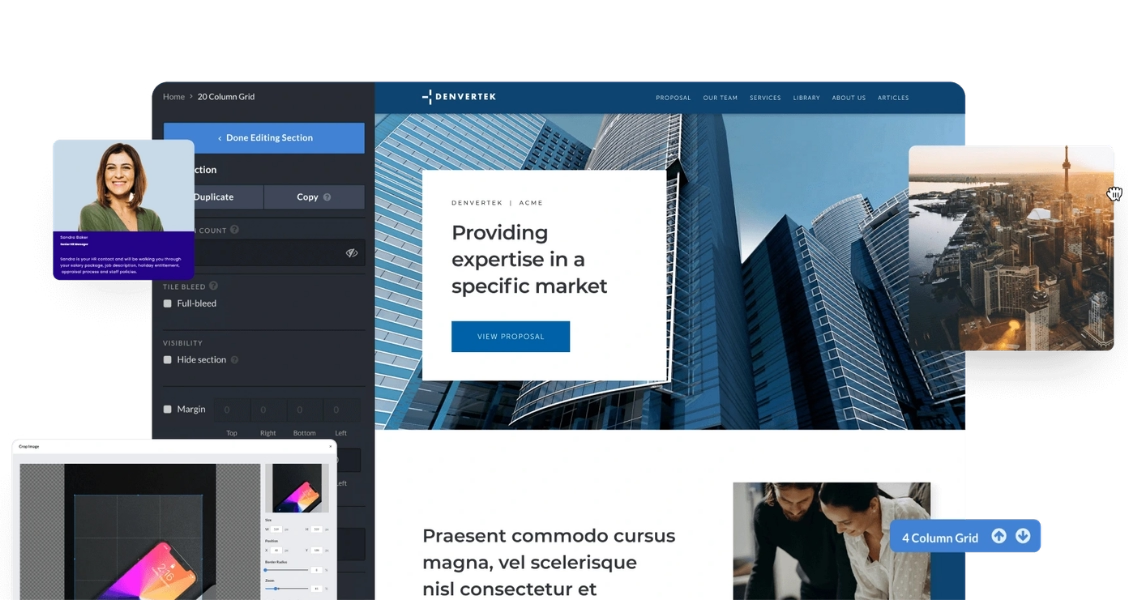
What a one-pager is, in one paragraph
Ready to go digital?
Discover how Zoomforth can help you.
Join 500+ enterprise sales, marketing and HR teams building trackable microsites — no developer needed.
Rated 4.76/5 on G2 · Trusted by Fortune 500 teams
Thanks — we've got your request.
Check your inbox — Wendie has sent her calendar link.
While you wait, browse real microsites in our microsite inspiration gallery or learn the basics in the Zoomforth Academy.
A one-pager is a single-page document — or digital equivalent — that summarizes one message, product, or idea for one specific audience. In B2B sales and marketing, it is one of the most used forms of marketing collateral: a concise leave-behind, a quick-reference summary, or a top-of-funnel introduction. The defining characteristic is constraint: one page forces you to include only what matters to the reader and nothing else.
The term applies equally to a printed A4 sheet handed out after a meeting, a single-screen PDF attached to an email, or a short digital page shared via link. The format that works best depends on how your buyer will consume it — and whether you need to know if they did.
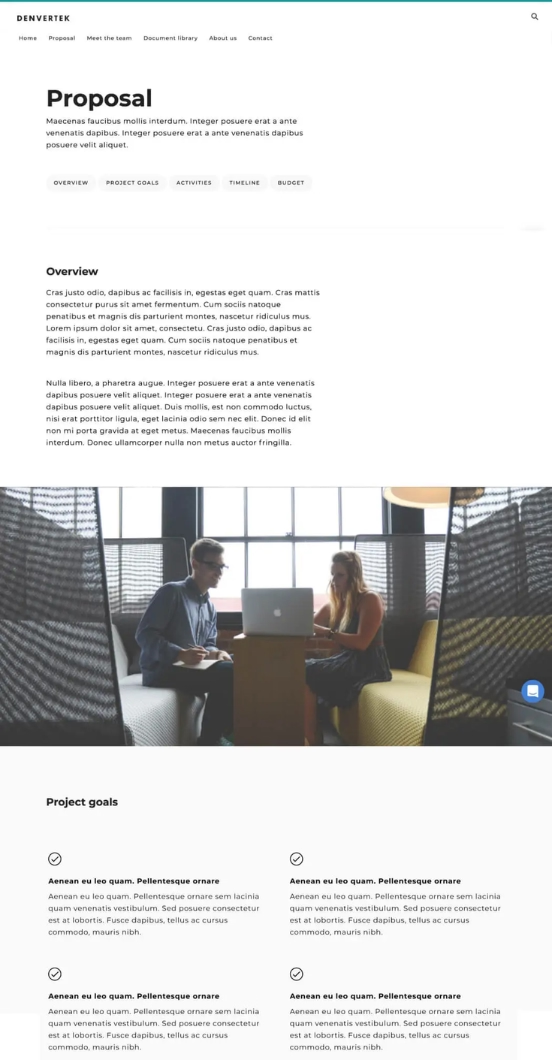
A one-pager is not a compressed brochure. It is a focused argument: one problem, one solution, one action. If you can't fit it on one page, the message isn't clear enough yet.
Does a one-pager have to be one page — and is it a website?
Two questions come up more than any other, and both are worth answering before you build anything: whether a one-pager is literally one page, and whether it is a document or a web page. The confusion is not the reader's fault. The word was borrowed from print and never updated.
In print, a one-pager was a single sheet of A4 or US Letter — frequently printed front and back, which is already two sides of content. Nobody objected, because the point was never the page count. The point was that the reader could take it in without committing to a meeting.
That is still the real constraint. A one-pager is whatever a buyer can absorb in about two minutes without navigating away. On screen, "one page" means one scroll of moderate length, not one printed sheet. The practical limit is 200 to 350 words plus visuals. Past two full desktop screens you have written a short brochure, and the reader will treat it like one.
The second question is the more useful one commercially, because the answer changed. A one-pager used to be a file. Increasingly it is a link, often sitting alongside interactive sales proposals built as microsites.
| Term | What it actually means | When you would use it |
|---|---|---|
| One-pager | A purpose, not a format. A summary of one thing for one audience, readable in one sitting. Can be a PDF, a printed sheet, or a web page. | Any time the buyer needs the argument, not the full document. |
| One-page website | A format. A site whose entire content sits on a single scrolling page, usually with anchor navigation. | When the whole story fits on one page and you do not need a site structure. |
| One-pager website | The overlap: a one-pager delivered as a web page instead of a file. Also called a onepager or a single-page site. | When you want to update it after sending and see who read it. |
| Landing page | A one-page site with a single conversion goal, usually attached to a campaign and a paid traffic source. | When the page exists to capture a form fill, not to summarize an offer. |
| Brochure | A multi-page overview covering several products, services, or messages at once. | General awareness, trade show tables, contexts with no specific buyer. |
So: every one-pager website is a one-page website, but plenty of one-page websites are not one-pagers. A scrolling product homepage is one page and summarizes nothing. The distinction matters when you brief a designer — asking for "a one-pager" and receiving a one-page site are two different deliverables.
The neighbouring terms cause the same trouble. If you are weighing a single page against a full site, see landing page vs website; if the one-pager is starting to grow into several linked pages, that is a microsite, and the trade-offs are covered in microsite vs landing page.
When a one-pager beats a longer document
A one-pager is the right format when brevity is a feature, not a limitation. Here are the six situations where it consistently outperforms longer alternatives.

Post-meeting leave-behind: The buyer's attention is at its peak right after the meeting. A one-pager that recaps the key points and gives them one action to take outperforms a 20-slide deck they have to dig through later.
Introduction to a new stakeholder: When your champion needs to loop in a decision-maker who wasn't in the room, a one-pager gives them a shareable summary that doesn't require reading your full proposal.
Cold outreach follow-up: A well-designed one-pager attached to a cold email gives the recipient something concrete to look at without asking for 30 minutes of their time.
Conference and event handout: Trade shows, industry events, and networking meetings call for something compact. A one-pager they can take away and reference later beats a business card alone.
Internal champion tool: Buyers who want to advocate for your solution internally need something they can forward. A one-pager gives them a ready-made internal pitch that doesn't require them to summarize it themselves.
New product or feature announcement: When you launch something new for existing customers or prospects already in conversation, a one-pager distills the key points without derailing the current thread.
The anatomy of a one-pager that gets read
The structure of a one-pager is not arbitrary. Every element has a job, and when any element fails at its job, the reader stops. Here is the structure used by the highest-performing B2B one-pagers.
| Element | Purpose | Common mistake |
|---|---|---|
| Headline | State the outcome the buyer gets, or name the problem you solve. This is the only element every reader will see. | Using the company or product name as the headline. The buyer does not care about your name yet. |
| Problem statement | One sentence that shows you understand the buyer's situation. Creates relevance and earns the next five seconds of attention. | Skipping this entirely and jumping straight to the product. The buyer feels like they're reading a generic flyer. |
| Solution summary | Two to four sentences explaining what you do and how it solves the stated problem. Specific, not generic. | Listing features instead of describing an outcome. "We have 500+ templates" does less work than "Most teams publish their first microsite in under two hours." |
| Proof point | One specific, credible data point, customer reference, or result. Converts claims into evidence. | Using vague social proof ("trusted by hundreds of companies") instead of a specific metric or named customer. |
| Visual | A screenshot, illustration, or chart that makes the solution tangible in under three seconds. | Using a stock photo of a handshake or a laptop. Visuals that don't show the product or outcome add zero information. |
| CTA | One specific, low-friction next step. A URL, a calendar link, or a QR code. Not a phone number alone. | Having three CTAs ("call us", "email us", "visit our website") that compete with each other and produce decision paralysis. |
12 one-pager examples and templates by use case
The right one-pager template depends on who you are sending it to and what action you want them to take. Below are 12 examples of one-pagers organized by use case, from a sales one-pager template to business one-pager examples for partnerships, hiring, and events. Treat them as one-pager ideas rather than fixed layouts: each one-pager example follows the structure outlined above, adapted for its context. Every sample opens as a live microsite, so these are one-pager samples you can inspect, not screenshots.
-
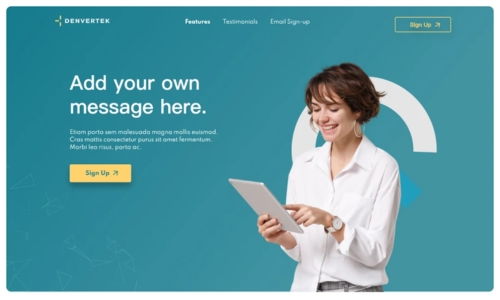
1. Digital sales one-pager — product overview
-
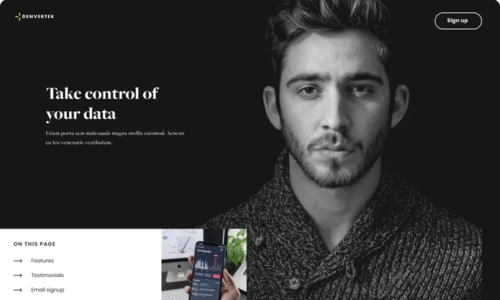
2. Sales one-pager — dark theme
-
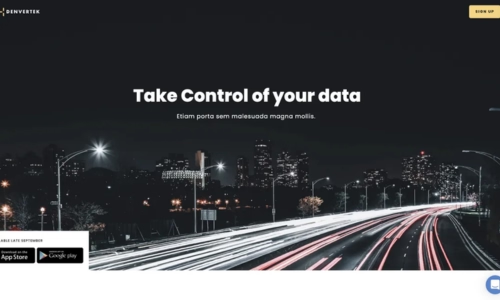
3. Sales summary — clean layout
-

4. Sales landing page — vibrant theme
-
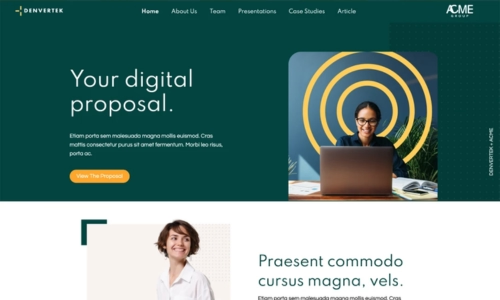
5. Marketing services one-pager
-
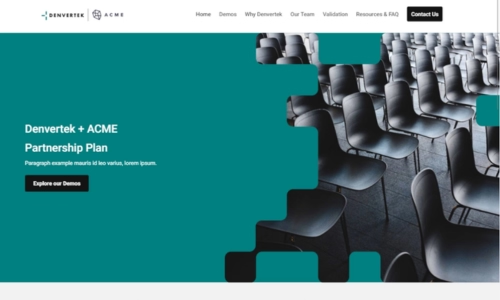
6. Presales overview — early-stage deals
7. Executive summary one-pager
A two-column layout: left side states the problem and solution in plain language; right side contains the key proof point, a visual, and the CTA. Built for busy decision-makers who receive the one-pager from a champion who was in the room.
8. New feature announcement one-pager
Lead with the feature name and the outcome it delivers for the buyer's role. Include one screenshot of the feature in use. End with "Available to all [plan] customers — see it in action" and a demo link. Used by customer success teams for upsell conversations.
9. Case study one-pager
Three-section format: challenge → solution → result. The result section anchors on one specific, measurable outcome (percentage improvement, time saved, revenue generated). Ideal as a leave-behind when selling to a similar company profile.
10. Partnership proposal one-pager
Introduces a co-sell or integration partnership opportunity. Covers: what the partnership offers to both sides, why the fit makes sense, and the first concrete step to explore. Sent to a potential partner's BD or alliance team as a conversation starter.
11. Job posting one-pager
Used by recruiting teams at career fairs and in passive candidate outreach. Covers: what the role is, why this company is the right place to do it, and one memorable proof point about the team culture or growth trajectory. Ends with a QR code to the application page.
12. Event or webinar one-pager
A single-page agenda or speaker overview for an upcoming event. Includes: the core topic, the speaker credentials (one line each), the date and format, and a registration link. Designed to be forwarded internally by someone who is deciding whether to attend.
Try the interactive one-pager template
See how enterprise sales teams replace static PDFs with trackable, interactive one-pagers that update in real time and show you exactly who read what.
Request a demo
Can ChatGPT make a one-pager, and should it?
It is a fair question, and the honest answer is: partly. Knowing which part is which saves you from shipping something that reads well and closes nothing.
What AI does well
Drafting. A language model will give you ten headline options in seconds, turn a rambling product description into three tight sentences, and rewrite a paragraph to a specific reading level. If you are staring at a blank page, that is real time saved — and the anatomy table above works as a prompt structure: ask for a headline, a problem statement, a solution summary, and a CTA, one at a time rather than all at once.
It is also useful in the other direction. Paste a one-pager you already have and ask what a CFO would ignore. The edit is usually better than the draft.
Where it falls down
Three things, and each of them is the part that decides whether the one-pager works:
- Proof. A model does not know your customer results. Asked for a proof point it will invent a plausible one, and a fabricated metric in front of a buyer costs more than a weak one-pager ever would. Every number and customer name has to come from you.
- Design and brand. Copy is not a one-pager. The layout, typography, and visual proof are what make it readable in the two minutes you get, and they have to match the rest of your material or the document looks like it came from somewhere else.
- What happens after you send it. No draft tells you whether the decision-maker opened it, which section they stopped on, or whether your champion forwarded it. That information only exists if the one-pager is a page you control rather than a file you released.
The workflow that actually works
Draft with AI, verify every claim against your own data, then drop the copy into a template that already carries your brand and reports engagement back to you. The model handles the blank page; the template handles everything that happens after.
The same trade-off shows up in longer sales documents, too. For how it plays out in proposals and RFP responses specifically — plus the security and approval-workflow gaps that only bite once a document goes out to a full buying committee — see our full guide on what AI can and can't do for B2B sales content.
Why static one-pagers are giving way to interactive ones
The PDF one-pager has one fundamental limitation: once it leaves your outbox, it disappears. You do not know if it was opened, forwarded, or binned without being read. You cannot update it if the pricing changes or a new case study becomes relevant. You cannot embed a product video without bloating the file size.
An interactive one-pager — published as a short web page and shared via link — removes all three of those constraints. You see when it is opened, you can update it without resending, and you can embed any media without a file size problem.
The format works particularly well for:
- Leave-behinds where the buyer is likely to forward the link internally
- Deals where knowing the exact moment the decision-maker engaged changes how quickly you follow up
- Accounts where the content needs to stay current over a long sales cycle
- Teams that send high volumes of one-pagers and need to understand which formats and messages perform best


Frequently asked questions about one-pagers
What is a one-pager?
A one-pager is a single-page document or web page that summarizes a product, service, company, or idea in a concise, visually organized format. In B2B sales, one-pagers are used as leave-behinds after meetings, as quick-reference summaries for busy buyers, and as top-of-funnel introductions to a solution. The best ones answer the buyer's core question — "why should I care?" — in under two minutes of reading.
What should a one-pager include?
A strong B2B sales one-pager includes: a headline that names the buyer's problem or the outcome you deliver, a brief explanation of your solution, two or three specific proof points (a metric, a customer name, a case study reference), a clear next step (book a call, request a demo, visit a URL), and contact information. Everything that doesn't serve one of those purposes should be cut.
What is the difference between a one-pager and a brochure?
A one-pager is a focused, single-purpose document built around one specific message for one specific audience. A brochure is a broader overview document that covers multiple products, services, or messages across multiple pages. One-pagers are more effective as sales leave-behinds because they give the buyer one thing to remember and one action to take. Brochures are better suited to trade show handouts or general awareness contexts.
How long should a one-pager be?
A one-pager should fit on a single page — or the equivalent in scroll length if it's a digital page. In practice, that means roughly 200 to 350 words of copy, plus visuals, supporting data points, and a CTA. If your one-pager requires scrolling past two full screen lengths on a desktop monitor, it has become a short-form brochure, not a one-pager.
What is the best format for a sales one-pager?
The best format depends on how it will be shared and consumed. For email attachments or in-person handouts, a PDF one-pager works well. For digital sharing — especially when you want to track whether a prospect opened it and what they clicked — an interactive one-pager built on a microsite platform is more effective. Interactive one-pagers let you embed video, update content after sending, and see individual engagement data.
Is a one-pager actually one page?
Not always, and there is no rule that says it has to be. The name comes from print, where a one-pager was a single sheet of paper — often printed front and back, which is still two sides of content. In digital form the constraint is attention, not paper: a one-pager is anything a buyer can read in roughly two minutes without navigating away. As a working limit, keep it to 200 to 350 words plus visuals. A digital one-pager that scrolls past two full screens has become a short brochure, whatever you call it.
What is a one-pager website?
A one-pager website is a single web page that does the job a printed one-pager used to do: one message, one audience, one next step, delivered as a link instead of a file. It is also called a one-page website, a single-page site, or a onepager. For B2B sales this format has a practical advantage over a PDF — you can update it after sending, embed video without a file-size problem, and see exactly who opened it and what they clicked.
What is the difference between a one-page and a one-pager?
A one-page website is a format: a site whose entire content lives on a single scrolling page. A one-pager is a purpose: a summary document built to be read in one sitting, which may be a PDF, a printed sheet, or a web page. Every one-pager website is a one-page website, but plenty of one-page websites are not one-pagers — a scrolling product homepage is one page and is not a summary of anything.
Can ChatGPT make a one-pager?
ChatGPT can draft the copy for a one-pager quickly, and it is genuinely good at the first pass: headline options, a problem statement, a tighter version of a paragraph you already wrote. What it cannot do is supply the parts that decide whether the one-pager works — your real proof points, your brand design, and any record of who opened it. Treat AI as the drafting step, then bring the copy into a template that carries your brand and tracks engagement.
Related resources
RFP response guide
For longer, higher-stakes sales documents: everything your team needs to write a winning RFP response from structure to tools.
Proposal templates
When the deal needs more than a page — ready-to-use proposal templates for enterprise B2B sales teams, organised by deal type and use case.
Sales microsite examples
Browse real examples of interactive sales one-pagers, proposals, RFP responses, and account portals built with Zoomforth.
Sales microsite platform
See the full platform built for enterprise sales teams: proposals, one-pagers, RFP responses, and account portals — all trackable.