Intranet examples: 6 real patterns worth stealing
Most intranets fail for the same reason: they're a file structure with a login screen. These six company intranet examples, which double as corporate intranet examples for larger organizations, show what an intranet looks like when it's actually built to be used — and how a branded microsite compares to a traditional SharePoint site.
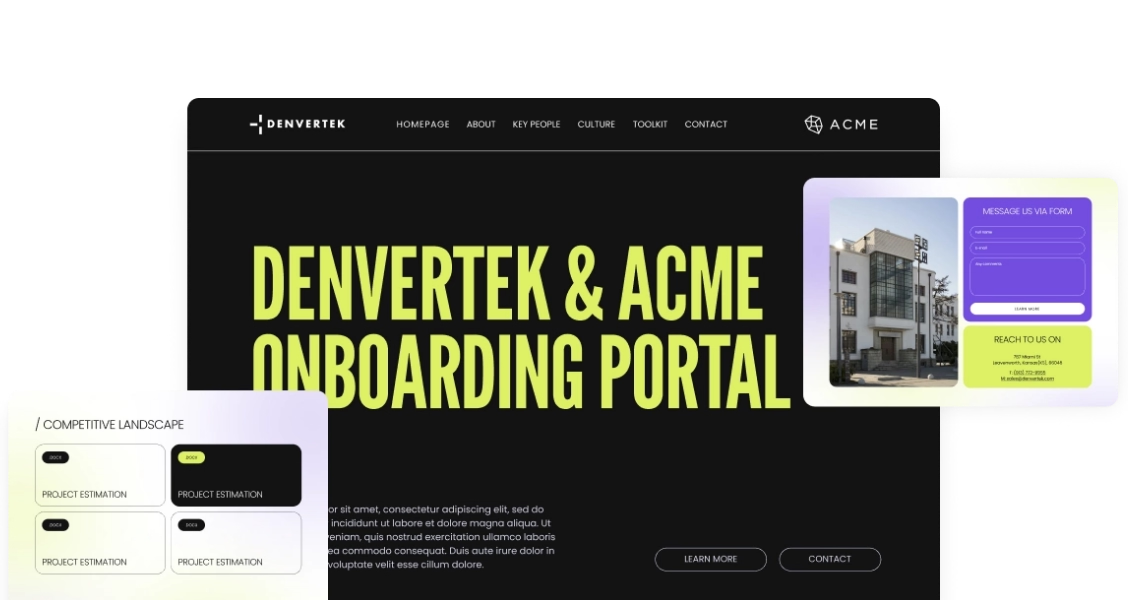
A private hub, not a file folder with a login
Ready to go digital?
Discover how Zoomforth can help you.
Join enterprise sales, marketing and HR teams building trackable microsites — no developer needed.
Rated 4.6/5 on G2 · Trusted by Fortune 500 teams
Thanks — we've got your request.
Check your inbox: we've just emailed you a link to book your demo with Wendie.
We'll email a written quote for your team to the address you gave us by the next business day.
While you wait, browse real microsites in our microsite inspiration gallery, learn the basics in the Zoomforth Academy, or see what's included in Zoomforth pricing.
A company intranet is a private, internal website where employees find company news, policies, onboarding material, and shared resources in one place. The problem is that most intranets are built like a shared drive: a nested folder structure, a search bar, and nothing that makes an employee want to come back.
The examples below take a different approach. Instead of a SharePoint site inherited from an IT rollout, each one is a branded microsite — visually distinct, organized around what employees actually need to do, and light enough for a comms or HR team to update without filing a ticket. One real Zoomforth customer put it plainly in a G2 review: "Zoomforth is essentially our company's intranet — we link various sites and pages to share information and resources with our internal employees. This has allowed us to cut down on mass emails, convey information in a visually impactful way, and empower our employees to find information they're looking for whenever they need it."
If your intranet is specifically built on SharePoint and you're comparing it to the platform's own templates, see our dedicated SharePoint intranet examples instead.
A branded intranet hub matters most in four situations:

Company-wide announcements — where news, policy updates, and leadership messages need one bookmarked home instead of another email in a crowded inbox.
New-hire onboarding — where day-one context (who to ask, what to read, where to start) needs to live in one link instead of a folder of PDFs.
Team-owned resources — where a department needs to update its own playbooks and pricing guidance directly, without routing every change through IT.
Replacing or pairing with SharePoint — where the goal is a branded, on-brand hub alongside existing Microsoft 365 permissions, not a from-scratch IT rollout. See SharePoint intranet examples for that specific comparison.
Corporate communications intranet examples
The most common intranet job is also the simplest to get wrong: getting company news in front of employees without another email nobody opens.
1. Company news hub — one home for every announcement
A mid-size company replaced its habit of mass-emailing every policy update, leadership message, and department win with a single internal hub. New announcements post to the top of the page, older ones stay searchable below, and each post can carry video, embedded slides, or a linked document instead of a plain-text email body.
What worked: because the hub lived at one bookmarked URL instead of an inbox, employees stopped missing updates buried under unrelated email — and the comms team could see which announcements actually got opened.
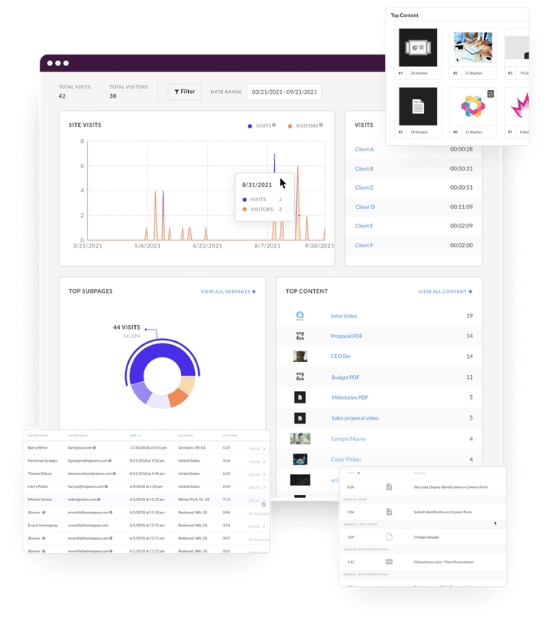
2. Leadership and all-hands portal — video-first, not text-first
A company built a dedicated portal for quarterly all-hands recordings, leadership Q&A summaries, and strategy updates — replacing a static list of file links with a page organized by quarter, each with an embedded recording, a summary, and a place for follow-up questions.
Result: attendance data on the recordings gave leadership a real read on which updates resonated, something a shared drive of video files never provided.
Onboarding and new-hire intranet examples
A new hire's first weeks generate more questions per day than any other point in the employee lifecycle. An intranet built for onboarding answers most of them before they're asked.
For a complete new-hire hub you can scroll, open our new hire onboarding portal example.
3. New-hire welcome hub — one link instead of a folder of PDFs
Instead of emailing new hires a zip file of PDFs on their first day, a company built a single welcome page: a short video from the team, a first-week schedule, links to benefits enrollment, and a directory of who to ask about what. Every new hire got the same link on day one.
What worked: consolidating everything onto one page meant new hires stopped pinging their manager with questions the hub already answered — the page did the repetitive part of onboarding automatically.
4. Policy and benefits reference — searchable, not buried
A company rebuilt its policy documentation as a browsable hub instead of a nested folder of Word documents: expense policy, time-off requests, benefits summaries, and IT setup guides, each as its own short page rather than a 40-page PDF nobody scrolls through.
Result: HR saw a drop in repetitive policy questions once employees could actually find answers themselves instead of emailing HR directly.
Team and department hub examples
Not every intranet page needs to serve the whole company. Department-level hubs solve a narrower problem: giving one team a home for their own resources without waiting on a company-wide IT rollout.
5. Sales team resource hub — playbooks and assets in one place
A sales team built its own internal hub for battlecards, pricing guidance, and messaging by segment — content that changed often enough that waiting on an IT-managed intranet update cycle made it stale within weeks. The team updated it directly, without routing changes through IT.
What worked: content ownership stayed with the team that used it daily, so the hub reflected what reps actually needed this quarter, not what was accurate when IT last touched it.
6. Events and culture calendar — RSVPs without a spreadsheet
An internal events team replaced a shared spreadsheet of upcoming socials, town halls, and volunteer days with a single calendar-style hub employees could browse and RSVP from directly, with reminders sent automatically as each event approached.
Result: RSVP tracking that used to live in three different spreadsheets consolidated into one page the events team could see at a glance.
Build your intranet as a branded microsite, not a SharePoint template
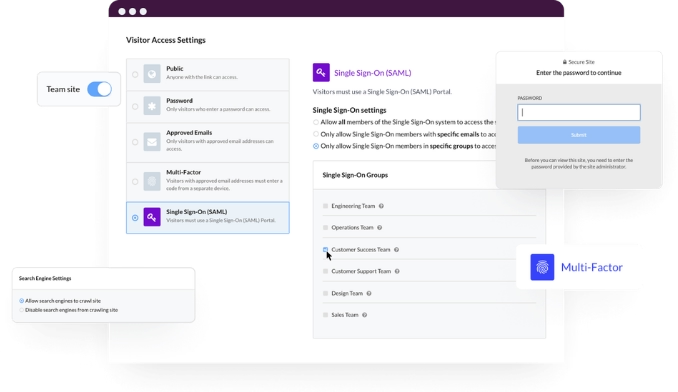
Zoomforth is used by comms and HR teams to launch a branded internal hub — news, onboarding, policies, and team resources — without waiting on IT or a SharePoint rollout. Every page comes with visitor-level analytics, granular access controls, and SAML SSO built in. Request a demo to see how it works.
Request a demoFrequently asked questions about intranet examples
What is a company intranet?
A company intranet is a private, internal website where employees find company news, policies, onboarding material, and shared resources in one place. It's restricted to employees and organized around internal use rather than public marketing goals.
What's the difference between an intranet and an internal communications platform?
A traditional intranet is a single, persistent hub employees bookmark and return to. Internal communications platforms can be broader — newsletters, mobile apps, campaign pages. Many companies now use a branded microsite as their intranet: one central hub without a SharePoint rollout.
Do you need SharePoint or Microsoft 365 to build an intranet?
No. SharePoint is one common route, especially on Microsoft 365, but teams that want a branded, visually distinct hub without SharePoint's templated look or an IT-managed rollout often build it as a microsite instead.
What makes an intranet actually get used?
Usage comes down to speed of finding information and whether the page looks worth returning to. Intranets that get used are organized around real employee tasks — find a policy, meet the new hire, RSVP to an event — not a mirrored file folder.
Related resources
SharePoint intranet examples
Building specifically on Microsoft 365? See what a SharePoint intranet looks like at its best — and where a branded microsite fills the gaps.
Corporate training portals
See how teams turn onboarding, course libraries, and internal learning into one branded, trackable hub.
Internal communications tools compared
How a branded intranet hub compares to dedicated internal comms platforms like Staffbase, Workvivo, and ContactMonkey.
Internal communications platform
How comms and HR teams run news, onboarding, and policy hubs in Zoomforth, with SSO and read data per page.
Road-test the Zoomforth Content Experience Platform
Request a demo todayBuild microsites that win more deals.
Request a demo