SharePoint intranet examples: what works, what teams switch to
SharePoint is the default intranet for most companies on Microsoft 365 — but "default" and "actually used" aren't the same thing. These examples show where SharePoint intranets work well, where they hit friction, and what a branded microsite alternative looks like instead.
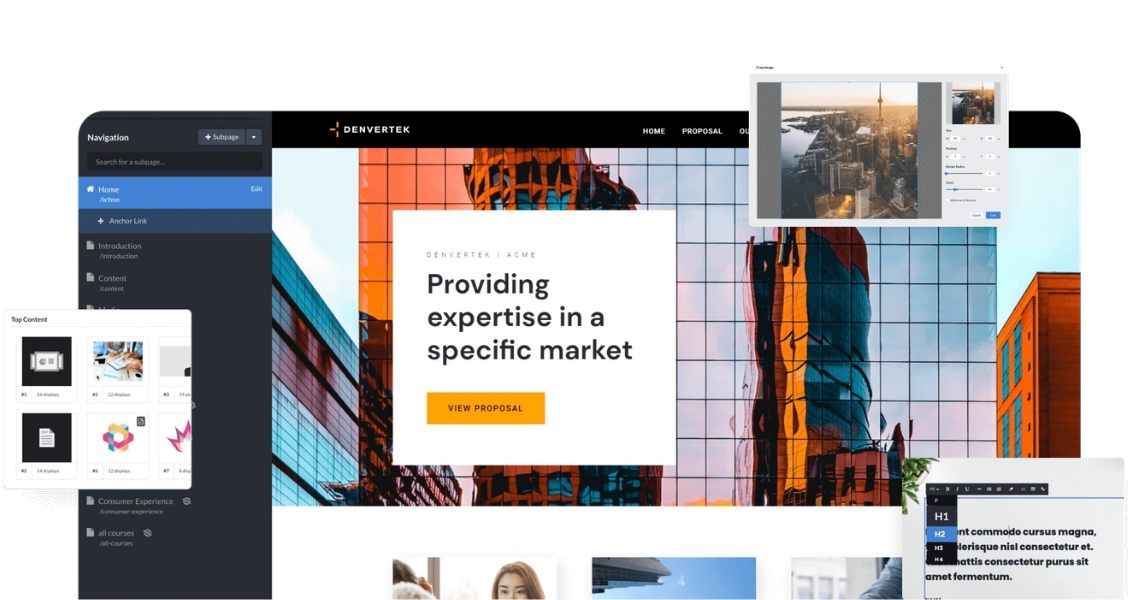

Brand-distinct company news — where the default SharePoint home site theming makes every announcement look like a generic Microsoft 365 tenant, not your company.
Content that changes weekly — where onboarding steps or benefits details need updating faster than SharePoint's page and web-part system lets a non-technical team move.
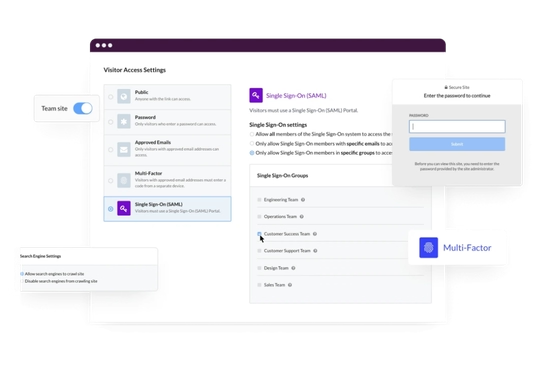
SSO and access controls that fit alongside Microsoft 365 — where visitor access needs to work with existing permissions, not duplicate them from scratch.
Comparing intranet formats beyond SharePoint — where the decision is bigger than one platform. See general intranet examples for the wider picture.
Where SharePoint intranets hit friction
The complaints are consistent across companies: the look, and who can change it.
3. The templated-look problem
A comms team wanted their company news hub to feel distinct and on-brand, but the default SharePoint home site theming left it looking like every other Microsoft 365 tenant's intranet — recognizable web parts, standard layout, minimal room for a branded visual identity without a custom development project.
What didn't work: matching brand guidelines required custom SharePoint Framework development, which put a "just update the homepage" request behind an IT backlog.
4. The IT-dependency problem
An HR team wanted to add a new onboarding page type and update the layout each quarter as their process changed. Each structural change needed IT involvement, because SharePoint's page and web-part system isn't designed for a non-technical team to restructure independently.
Result: content that needed weekly updates — onboarding steps, benefits details — moved at IT's release pace instead of HR's, and the page slowly fell out of date between IT tickets.
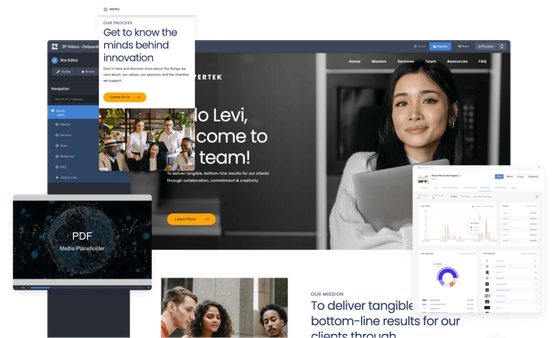
What teams build instead — or alongside SharePoint
The two frictions above — templated look, IT dependency — are exactly what a branded microsite is built to solve. It isn't a rip-and-replace decision: several teams keep SharePoint as the system of record for files and permissions, and build the employee-facing hub as a separate microsite instead.
5. Company news hub, rebuilt as a branded microsite
A company kept SharePoint for file storage but moved its employee-facing news hub to a branded microsite the comms team could update directly — no IT ticket for a new announcement, no templated web-part layout. One Zoomforth customer described the result in a G2 review: "Zoomforth is essentially our company's intranet — we link various sites and pages to share information and resources with our internal employees. This has allowed us to cut down on mass emails, convey information in a visually impactful way, and empower our employees to find information they're looking for whenever they need it."
What worked: the comms team published updates the same day they were written, instead of queuing a change behind IT's SharePoint backlog.
Build the intranet SharePoint can't, without replacing it
Zoomforth lets comms and HR teams launch a branded internal hub in hours, not an IT project — with granular access controls, SAML SSO, and SOC 2 Type II security built in, so it fits alongside your existing Microsoft 365 permissions rather than fighting them. Request a demo to see how it works.
Request a demoFrequently asked questions about SharePoint intranets
What is a SharePoint intranet?
A SharePoint intranet is an internal company website built on Microsoft SharePoint, usually bundled into Microsoft 365. It typically includes a home site for company news, department sites, and a document library sharing the same permissions structure.
What are the limits of a SharePoint intranet?
The two most common complaints are look and ownership. SharePoint sites tend to look templated without custom design work, and meaningful changes usually route through IT rather than the comms or HR team that owns the content.
Can you use something other than SharePoint for your intranet?
Yes. Companies on Microsoft 365 sometimes keep SharePoint for document storage and permissions, but build the employee-facing hub — news, onboarding, culture content — as a separate branded microsite a comms or HR team can update directly.
Do you have to choose between SharePoint and a microsite?
No. Some teams run both: SharePoint stays the system of record for files and permissions, while a branded microsite becomes the front door employees actually visit for news, onboarding, and day-to-day updates.
Related resources
Intranet examples
Beyond SharePoint specifically — see intranet patterns for corporate comms, onboarding, and team hubs.
Enterprise security features
SAML SSO, multi-factor authentication, and SOC 2 Type II — how a Zoomforth hub fits alongside Microsoft 365 permissions.
Internal communications tools compared
How a branded intranet hub compares to dedicated internal comms platforms like Staffbase, Workvivo, and ContactMonkey.
Ready to see it in action?
Request a personalized demo from one of our product specialists.
Request a demo
 Trusted by Fortune 500 sales, marketing & HR teams
 Build microsites that win more deals.
Request a demo