Skip to content
Search Request a demo

Popular searches

Jump to

    Digital client experiences as a competitive advantage

    Digital client experience: how microsites change client experience management

    A strategic guide for consulting firms, accounting firms, and agencies.

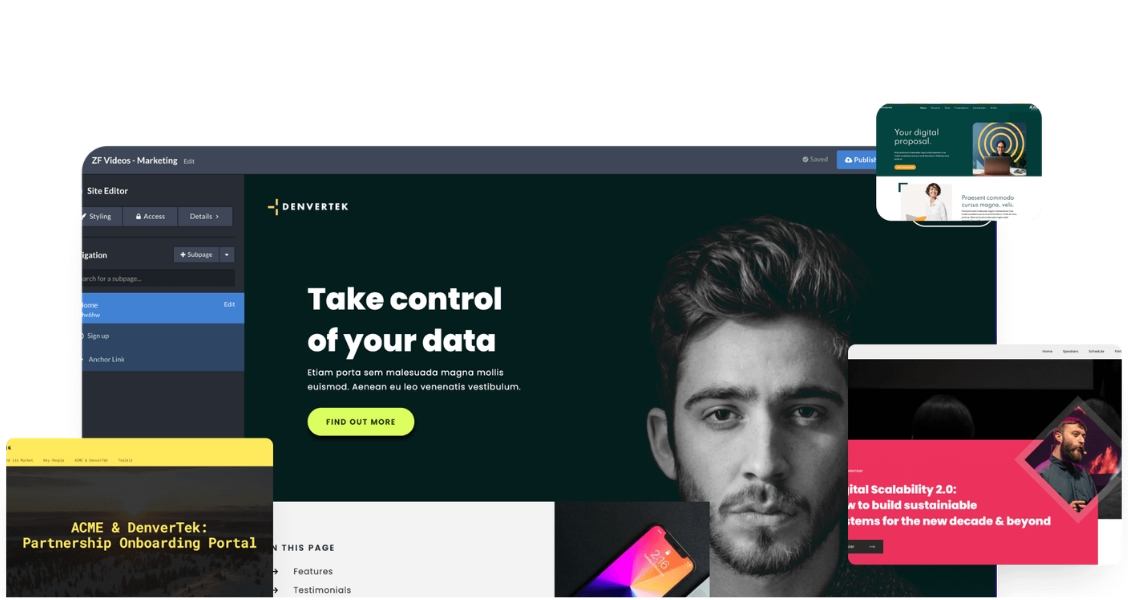
    Screenshot of a microsite with Zoomforth app features on overlaid.

    What is client experience? Every online touchpoint with your brand

    In this era of unprecedented digital transformation, a wide range of compelling formats exist for delivering client experiences that engage and convert.

    A key part of the customer journey, the client experience refers to any and all the points of contact that your customer has with your brand online. These “touch points” can take place across a variety of settings, with common interactions occurring via a landing page, microsite, website, mobile application, e-Commerce store, social media profile, or interaction via email or live chat.

    A microsite is a targeted, single or multi-page website that utilizes integrated digital media to present information on a specific topic. Unlike traditional websites, microsites steer clear of information overload — instead, they provide a dynamic, focused experience for visitors. Easily adaptable and customizable, microsites offer an ideal vehicle for account-based marketing content, product launches, and more.

    As professionals leverage the power of creating digital customer experiences to communicate a specific message to a target audience, the microsite presents itself as a uniquely appropriate medium for these experiences.

    The last thing we want to do is present a PowerPoint when we’re proposing services for being digitally forward-looking and cutting edge.

    Senior Manager | Big Four Firm
    Taking the lead

    How digital media reshaped the B2B client experience

    B2B clients now research and buy like consumers

    Business-to-business (B2B) clients are increasingly behaving like consumers when at work—taking advantage of digital channels to shape how they learn about and purchase products and services, and how they engage with the teams behind them.

    This consumerization of B2B buying and engagement is being driven in many ways by the ever-accelerating wealth of information available to clients. With the incredible amount of media ever present at our fingertips, access to information has become more saturated. As a result, attention has never been more scarce.

    In addition, client values and expectations are also evolving as new generations are becoming a more influential part of the workforce. Pew Research Center estimates that millennials will comprise a full half of the workforce by 2020, followed by Baby Boomers at 22% and Gen X at 20% that year. As new generations move to positions of leadership, they impose new expectations, needs, and ways of consuming information onto digital client experiences.

    To avoid appearing as digital laggards and break through to clients, professionals can no longer carry on as they used to—they need to create compelling client experiences that are just as cutting edge and digitally native as their clients expect them to be.

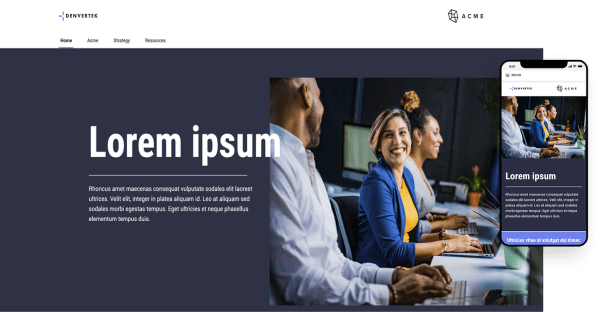
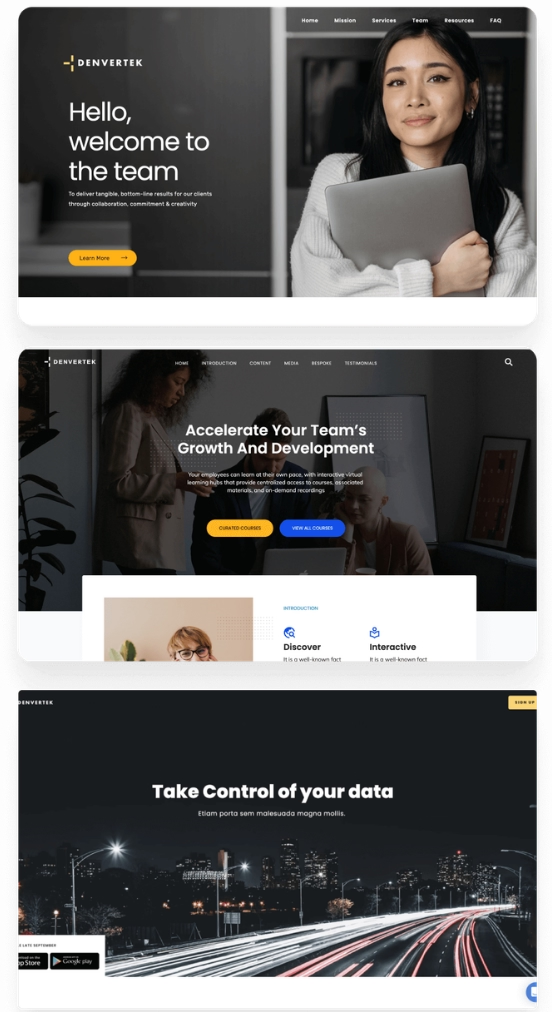
    Three screenshots of microsite examples.
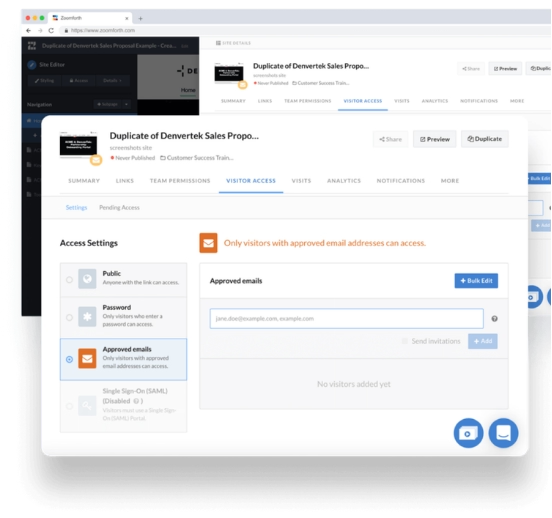
    Screenshot of security settings on a microsite.
    Digital security

    Engaging client experiences that still pass security review

    Microsites are more secure than sharing information in files alone

    Often you are being trusted with sensitive client information. So beyond the risks of client disengagement, there is also a need to be able to control any digital communications and ensure that all sensitive information is properly secured and available to only the right people. And likewise, there is a balance. You don't want security concerns to stymie your innovations around your client experience.

    Fortunately, making experiences engaging and secure are not at odds. In fact, digitally native formats like microsites have numerous security options that make them more secure than previous methods of securing information in files alone. Implementing these security and authentication techniques is not only good for protecting information, it demonstrates your capabilities with digital media in its own right.

    Analytics

    Client engagement data that shared files can't give you

    Host files on a microsite to measure content effectiveness and client intent

    Conversely, microsites allow analytics to be baked into just about everything because they are digital native—including engagement with files themselves provided that they are hosted on the microsite. Bringing files into a digital context like this can yield a bounty of information about the effectiveness of your content as well as the interests and intent of your clients.

    For all of these reasons, professional services firms, consultants, and agencies risk being left behind if they don’t become more adept at improving the client experience journey of their clients. To do this, companies need to develop the capabilities to create such client experiences that demonstrate a strong aptitude in utilizing the newest technologies.

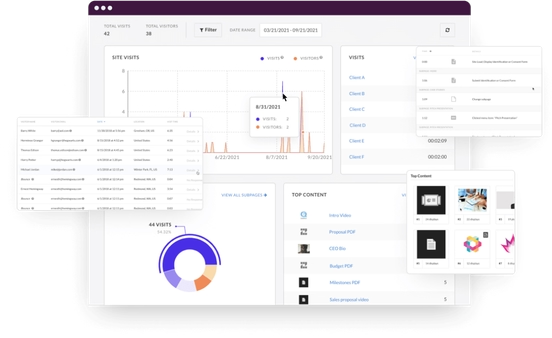
    Collage of Zoomforth analytics visualizations.
    The new client experience

    Personalized microsites: a client experience any account team can deliver

    AR, VR, and IoT don't scale beyond the largest accounts; microsites do

    Within the grasp of any account team is the microsite, customized to the client. By using a web page as a familiar platform to present information, store content, and create rich client experiences, you are able to leverage all of the best aspects of digital communications without having to completely re-imagine the content and process from the ground up.

    Professional services firms need to leverage technologies that are immediately accessible, easily incorporated into their current workflow, and which elevate the client experience considerably.

    Two laptops on a desk.
    B2B vs. B2C

    How are B2B microsites different from B2C microsites?

    When hearing the word microsites, what may immediately come to mind are flashy B2C web experiences that are often built as part of a promotion or marketing campaign.

    While these share some traits with B2B microsites, they are actually much different. B2C microsites are temporary, promotional, and often have some specially-developed functionality like an app or game for consumers to enjoy. The B2B microsites being discussed in this guide are more like a portal or intranet site. They are more similar to communications that would otherwise be done via emails, links, decks, videos, and other PDFs.

    The notion of what a client experience can be is quite broad. While microsites are flexible enough to assist in a lot of aspects of the client experience journey, there are a handful of personalized opportunities where they are most commonly employed.

    When to use microsites

    3 moments to use a microsite in your client experience strategy

    Supplement a strict RFP response with a microsite

    Strict guidelines have been set for a proposal by the RFP, so you’re looking for a way to supplement the experience around the RFP to call attention to the most important compelling information—which can otherwise be easily buried in so many pages within the proposal.

    Shift longstanding perceptions and first impressions

    Whether you're trying to pick up a new client, or you already have a relationship with an organization, there are countless business situations where you need your firm to be seen in a new light of innovation. Introducing a microsite can get you a fresh look that shakes up the status quo.

    Replace a 100+ page PDF with a fully digital proposal

    If you have some latitude on how you can present your proposal, versus a PDF a microsite offers a much more flexible container for a large amount of information. Improving the client’s experience especially compared to a 100+ page PDF is easier with microsites.

    Explore 3 live client microsites: proposal, portal, and workshop

    Click on these examples to explore the microsite experience for yourself.

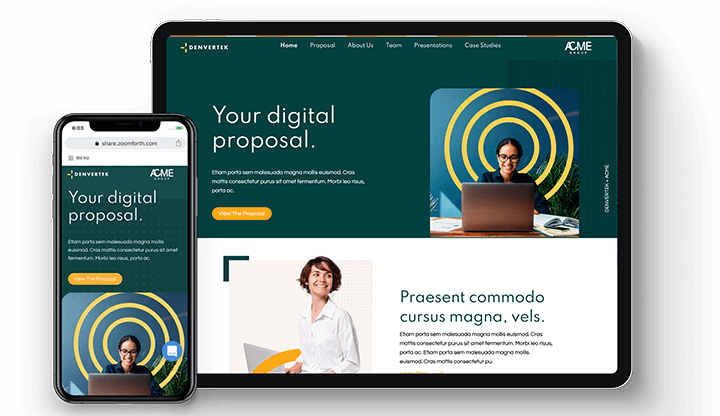
    Zoomforth digital proposal microsite mobile and desktop preview screens

    Sales proposal microsite

    Increase client engagement and sales conversions by showcasing your sales proposals in a way that is visually attractive, engaging and easy to consume.

    View site
    Zoomforth client portal microsite mobile and desktop preview screens

    Digital experience portals for client newsletters and updates

    Share content in dynamic client newsletters and information portals that are easy to curate, update and refresh.

    View site
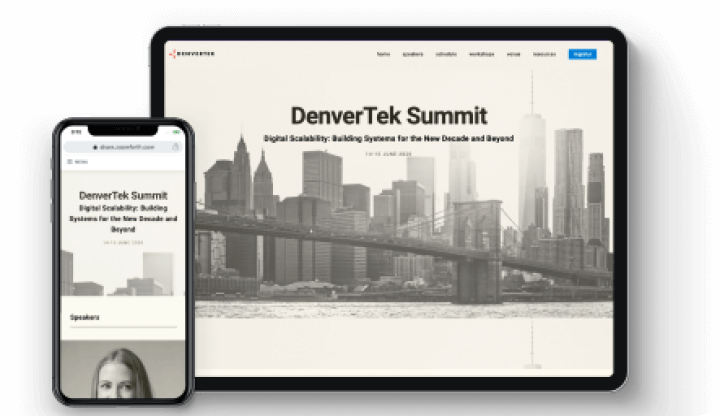
    Zoomforth microsite mobile and desktop preview screens

    Client workshop hub with courses and on-demand recordings

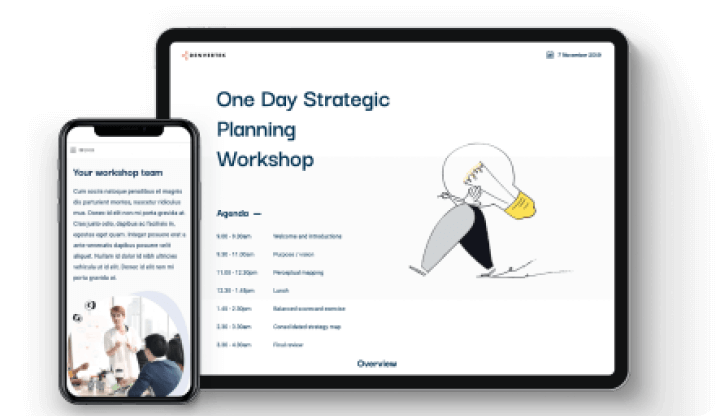
    Create custom event pages and modern learning experiences with interactive hubs that provide access to courses, materials, and on-demand recordings.

    View site
    Microsite benefits

    Why microsites can improve client experience better than other digital formats

    5 ways microsites complement or replace PDFs, decks, and emails

    Combine PDFs, decks, and emails into one measurable client destination

    Decks, white papers, and eBooks get downloaded but rarely read

    But, because of the incredible mass of information available to your clients today, they are often shared or downloaded but then never actually viewed. Worse yet, it’s impossible to know the extent of this lack of engagement because this kind of file-based content offers no reporting to let you know if people are consuming the content.

    A microsite, on the other hand, transforms your content into a destination. You’re turning passive information into an active and measurable experience.

    The mobile responsive microsite makes it very easy to use rich content like videos, infographics, and interactive slide decks. Rather than just archiving your email, skimming your whitepaper, or flipping through your deck, the user is presented with a website that initiates some exploration and discovery. Visual, interactive microsites can help improve client experience by increasing engagement; and making your content more compelling, consumable, and shareable.

    Whether they are packaging the files, or taking their place altogether, microsites offer many advantages versus files alone.

    A man operating a digital video camera.

    Standalone decks and PDFs: pros and cons

    Deck and PDF pros: familiar, linear format
    • Familiar file format for business communications
    • Able to be created and edited with common software
    • Type of linear cummunication that is good for delivering information in a fixed order
    Deck and PDF cons: insecure and passive
    • Not secure. Even password protected documents can easily have their password shared.
    • Consumed passively. Not inherently engaging
    • Not generally considered innovative

    Microsites: pros and cons

    Microsite pros: interactive, mobile, and trackable
    • Allows for interactive content like videos, surveys and search, as well as decks, PDFs and links within it
    • Mobile responsive design
    • Operationally easier to manage than pages on a main website
    • Ability to track and create notifications based on visitor behavior
    Microsite cons: more complexity and a new interface
    • More possibilities for content can lead to higher project complexity
    • User must adopt a new interface
    A monitor, a keyboard and a mobile phone on a desk.

    One microsite for every decision-maker, each with their own path

    6 to 10 decision-makers now weigh in on a complex B2B purchase

    Gartner’s B2B buying journey research puts the typical buying group for a complex B2B solution at six to ten decision-makers. So by providing a microsite that has options to explore different types of information, you’re able to quickly engage multiple stakeholders with the content that is most important to them, while still providing a unified value proposition.

    By centralizing the digital customer experience around a single microsite, everyone is interacting with your solution using the same core language, which helps build consensus around how it supports their business. From there, you can branch out using links and navigation so that each stakeholder can hone in on exactly the part of your experience that interests them the most.

    For example, a senior executive may want to review case studies to see the results of past engagements, while someone who would be working with your firm on a day-to-day basis may be more interested in bios of the engagement team and their backgrounds.

    Rather than make each flip through a deck until they get to content like this that matters most, the microsite allows them to navigate to that section first, and then explore the rest of the content.

    One owner per microsite, templates to scale across the firm

    Collaborative editing, version history, and cloning for mixed-skill teams

    By virtue of being web-native content, these communications can be more easily edited collaboratively, not to mention tracked with their history of changes, recovered, locked, cloned, and so forth. For example, visual design can be done by a creative team, while copy and other content are filled in by generalists.

    Sites can then be templatized, so that personalizing these pages to your clients is a smooth and scalable process that can be repeated across your organization. Ultimately the surface area of each microsite remains small enough for a single person or department to run, which helps the process scale well across matrixed organizations as well.

    A laptop on a sofa.
    A man sitting at a desk, typing on a laptop.

    Protect sensitive client information with visitor authentication

    Microsites benefit from being able to use the latest web-based security and visitor authentication technologies, making them one of the most secure methods to share content with your clients. The same can’t be said about file-based materials like PDFs and PowerPoint decks when shared outside of the context of a secure microsite.

    This topic warrants greater discussion, and is covered in its own chapter later on.

    Track who opens your content, what they read, and when

    Files alone can't report page views or engagement time

    Microsites, on the other hand, can support the same types of page analytics that have become widespread on the Web. As a result, you can record and measure when your microsite is being viewed, who is on the page, and what content is being engaged with. And if you store a PDF or deck on a microsite, you can potentially track engagement with it as well.

    This tracking also has the added benefit of being able to trigger notifications, so that you can find out exactly when a client is accessing your content.

    These kinds of analytics and notifications can be very revealing about the goals and priorities of your client. The data and feedback helps you drive and influence your conversations, as well as better understand your investments in content and its impact for your business.

    A woman and a man sitting opposite eachother at a desk with a laptop each and both looking at a mobile phone screen.
    Making effective microsites

    5 traits of an effective client microsite, from strategy to analytics

    1.

    Your site is tied into a broader client experience strategy

    The microsite is one touchpoint among many. Like other parts of your client journey, the microsite should be tied in to the overall vision. Consider what is happening before the client gets the site, and what should happen after.

    For instance, often part of your client engagement strategy may be to focus heavily on your digital competencies and high level of technological innovation. So in addition to serving its own purpose, the microsite is one of multiple efforts that demonstrate your digital excellence, proving that you practice what you preach, so to speak.

    2.

    Your site has a clear focus structured around a goal

    One of the best ways to ensure you have an effective microsite is to have a clearly-stated goal for the site.

    During the design and build process, be constantly asking whether the decisions that are being made are serving that goal.

    What is the most important information to deliver? Are you seeking to build trust and establish authority? Are you trying to package your proposal in an innovative way to give it an edge?

    With clear objectives, measurement becomes invaluable, and it becomes possible to know whether your microsite has made the right impact, and take that knowledge and apply it to future projects.

    3.

    Put UX before aesthetics when the two conflict

    A flashy microsite can make a tremendous impression. But the best microsites aren't just beautiful; they have a well-executed user experience, too.

    If aesthetics and UX come into contention, a good UX is a worth prioritizing. Because when you invest time and energy in making your UX intuitive or well-organized, you will make your overall site more effective.

    For the concrete choices that separate a well-organized site from a cluttered one — hierarchy, whitespace, navigation and imagery — see what makes a content experience effective.

    On a similar vein, it’s important to note here that designing a deck or PDF is somewhat different than designing a web page. Not everything that can be done in one format can (or should be) done in the other.

    4.

    Plan visitor access and hosting security from day one

    Security should be part of the plan for any client-facing microsite from the get go.

    The key areas of concern are how visitor access is handled, as well as if there are any underlying security risks in how the microsite is built or hosted.

    We’ll go into more detail on this in the chapter on security. Ultimately, it’s critical that your microsite is not only secure, but is secure in a way that your IT security team is comfortable with.

    5.

    Your site’s engagement analytics are used to inform strategy

    Data is only as useful as what you can learn from it, and reporting on your microsite can be incredibly valuable if you take the time to interpret it.

    One effective strategy is to review how visitors are interacting with resources and information in your microsite as an indicator about their priorities, or where they are at in the buyer's journey.

    If you notice, for example, that decision makers are spending a lot of time reviewing team bios on a proposal pages, you might tailor your communication strategy to highlight that, and focus more on the engagement team’s experience and qualifications.

    As you use microsites for more purposes and clients, some of these insights will evolve into best practices that you can apply to all other projects.

    Landing page vs. microsite

    What's the difference between a landing page and a microsite?

    Microsites benefit from being able to use the latest web-based security and visitor authentication technologies, making them one of the most secure methods to share content with your clients. The same can’t be said about file-based materials like PDFs and PowerPoint decks when shared outside of the context of a secure microsite.

    This topic warrants greater discussion, and is covered in its own chapter later on.

    A laptop, a mobile phone and a house plant.
    Common pitfalls

    4 client microsite mistakes, from wow-factor to runaway costs

    Which mistakes cost client microsite projects time, security, and budget?

    Prioritizing wow-factor over substance

    Yes, PowerPoints can feel sterile, and well-designed websites are sexy. But while there’s real value in style, don’t disassemble a slide deck and convert it to a microsite only because you’re looking for “cool” points. Often, slides are an incredibly effective form of presenting information, like when you have a story you want to move through linearly.

    In a case like that, if you take out all that content and re-assemble in a web page, it might be less focused.

    However, you might want to include your set of slides inside a microsite, so you benefit from the power of digital—but be intentional with your communication choices.

    Overloading your microsite with too much content

    Among the benefits of microsites is flexibility. You can pretty easily add anything you want, and there are very few parameters. That introduces tremendous possibilities.

    But that same flexibility also puts you at risk of adding too much. With something like a slide deck, it starts to become very obvious if you have overloaded the deck with too many pages, or pages that are too dense. The microsite doesn’t have that same page counter, so you might end up adding too much content if you’re not mindful. Overdoing it can not only create a confusing user experience, but also make things very difficult on your design or development team.

    Now, there are times that including a lot of content is a requirement. An example of this would be if you have a section on research, and you need to include links or downloads for 12 different papers. To avoid this pitfall here, you must organize that content, or giving it enough space for the user to be able to scan, interpret, and assess the information available to them.

    Leaving visitor authentication until late in the project

    You might have scoped all the design, development and content elements to get the page to function properly, but security and visitor authentication are no simple task.

    It’s important to make sure you have the capability, and it’s executed in such a way that it makes for a smooth client experience. Is a password sufficient security? If you need more, like token-based authentication, are you sure the system you’re using to develop the microsite has the capabilities, or performs such authentication in a way that’s clear and reliable to your visitors?

    To avoid unnecessary delays, get these details resolved early in the process.

    Letting your microsites become too costly

    Launching a microsite means putting the page through a design and build process. Your site must be also be deployed and hosted on the Web, and in some cases, it will need to be updated as well.

    While microsites can be resource or time intensive, they don't have to be. With the right process and technologies, effective microsites can be produced and managed with a very reasonable amount of investment.
    Internal use case

    5 internal microsite use cases, from new hire onboarding to change management

    Do consulting firms and agencies use microsites for internal communications?

    Over the years of working with professionals on their microsites, we’ve seen a lot of internal uses pop up as well. In addition to creating exceptional client experiences, microsites can create great internal experiences in areas such as:

    • New hire onboarding
    • Recruiting
    • Learning and development
    • Newsletters
    • Change management
    New employee portal mobile and desktop preview screens

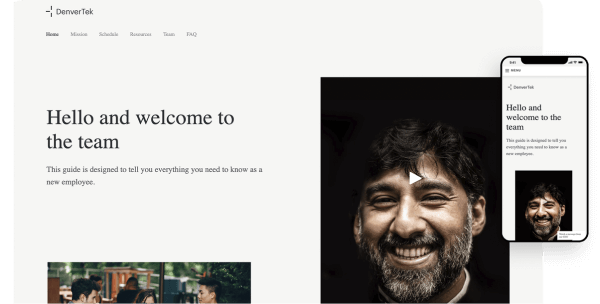
    New hire welcome guide

    Accelerate your new hire's learning with a single resource portal

    View template
    Zoomforth microsite mobile and desktop preview screens

    Account onboarding

    Create information portals to accelerate understanding of new client accounts

    View template
    Event landing page mobile and desktop preview screens

    Event landing page

    Impress stakeholders with digital invitations to important events

    View template
    Information security

    Microsite security: what your InfoSec team will check

    Get your IT security team's green light before the first client microsite

    The good news is that, if done properly, using a microsite will likely be a much more secure and smooth experience than traditional methods of sharing sensitive client information. This chapter outlines all the basic aspects of data security that professionals need to understand. An effort has been made to not get too technical, but we are going to go into enough detail for you to be able to talk about security internally.

    What does microsite security cover? Access and the technology underneath

    Everyone in the professional services industry knows that it is important for data to be secure.

    In particular, once you have defined the scope and use case of your microsite, there are two major considerations in your assessment. The first relates to how a user gains access to the microsite and its content. The second is understanding how secure the underlying technologies of the microsite are.

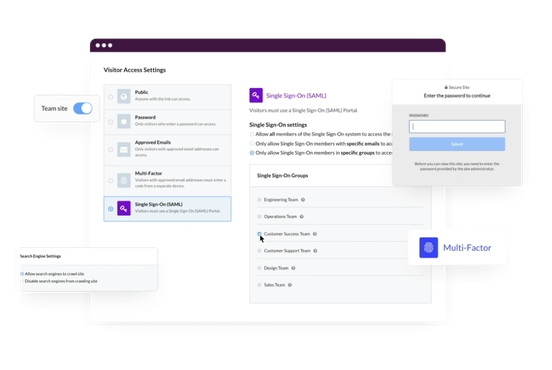
    Screenshot of security settings on a microsite.

    4 conditions a secure client microsite must meet

    1.

    Access to microsites can be restricted so that client data and intellectual property is always protected

    2.

    The microsites are hosted on a server where security best practices have been implemented

    3.

    Any microsite creation software being used is not vulnerable to breaches

    4.

    You can set permissions for team members during the microsite process so that access is not unnecessarily granted

    A close-up of a laptop keyboard with the lid half open.

    Match security to the content: marketing page or multi-million-dollar RFP

    Confidential proposal material needs more protection than a marketing site

    Are you creating a website that performs mostly a marketing function, and contains no confidential information? Or, are you trying to host highly confidential proposal material on your microsite?

    If a microsite contains no intellectual property or client information, security may not be a concern whatsoever, whereas if your microsite is a letter of proposal for a multi-million dollar RFP, it will need to be well-protected.

    Why password-protected PDFs and decks may fail InfoSec review

    When it comes to files like PDFs and PowerPoint decks, if they aren’t behind firewalls, then they are able to be passed around. It’s true that files can be encrypted with passwords. But is that secure enough? As far as InfoSec is concerned, it may not be.

    Pair of hands holding a book, which has information about minimum desirable product.
    A desk with a laptop, a monitor, a keyboard and a computer mouse.

    3 ways file passwords leak, and the visibility a microsite adds

    One reason for this is that passwords are often shared using email, sometimes within the same message that contains the protected document. So if an unprincipled party is able to gain access to sensitive documents, the password may be compromised as well.

    Passwords on files can also be tried an unlimited number of times, so if they aren’t complex enough, they can be cracked easily with brute force computing.

    Perhaps a greater or more common threat is that a prospective client may share a document and its password with a competing firm. Especially in the competitive proposal process, the risk of a competitor having that kind of window into your business is a significant threat.

    Not only is this a security vulnerability, but you’re not able to detect or measure the extent of a data breach. For some companies, that’s okay because in a way they don’t want to know how often their sensitive materials are being passed around (and be held responsible for it). So it becomes an out of sight, out of mind type of situation.

    But if you truly care about your clients’ security, you want visibility. And by their digital nature, microsites bring that visibility and accountability.

    Is on-premises hosting more secure than the cloud for microsites?

    Visitor access matters more than where the microsite is hosted

    Is on-premises infrastructure really more secure than the public cloud?

    Local servers do provide increased control over your data. However, to remain secure, your IT team must develop and retain the capability to keep your data secure, which includes significant investment in hardware, software, and expert personnel.

    If your microsites are ultimately being hosted on the cloud, you want to be working with a top quality provider. Leading cloud vendors—such as Amazon, Microsoft, Google, IBM, and VMware—spend a tremendous amount on securing their systems, at a level of investment that is higher than many organizations are able to do themselves in their own on-prem data servers. These cloud vendors are able to learn from the experiences of cyberattacks across their entire customer base, resulting in more robust and well-tested security controls as well.

    The end result of hosting on the cloud is a significantly reduced surface area for penetration attacks because the entry points into the cloud are well-defined and can be locked down with proven tools to authenticate users and restrict access.

    Often more important than where the microsite is hosted is how page access is handled, so in the next section we’ll look at some of the methods for authenticating visitors.

    A pair of hands typing on a laptop.

    If set up correctly, hosting microsites on-prem and in the cloud can both be secure and low risk. But ultimately it will be up to your IT security team to determine what is acceptable.

    Microsite access

    4 ways to control visitor access to a client microsite

    Visitor authentication types, from public link to multi-factor

    Public link: anyone with the URL can view

    A public microsite can be accessed by anyone who has the link. Sensitive materials should not be included on public pages. The common sense rule of thumb here is don’t assume a microsite is secret because nobody could possibly guess the link. All it takes is one small mistake and the information can get out.

    Multi-factor authentication (MFA): most secure, most friction

    Multi-factor authentication (MFA) is considered the most advanced form of visitor authentication. It means two or more factors (devices) are involved in allowing access to the page. Usually the second factor is a person’s mobile phone. Because MFA requires the client to not only set up an account and also go through a process of authorizing their phone, this can be a significant barrier that should be carefully considered.

    Email authentication: time-limited links that are hard to share

    Email authentication is a type of token-based authentication method. A user is sent a special link in their email to be able to view the microsite. Access to the link proves they are who they say they are, and the link is only valid for a short window of time which makes it very difficult to share. In this way, email authentication is often the best balance of user experience and security because a small extra step to access the microsite adds a huge layer of extra protection.

    Password protection: moderate security your IT team may reject

    Password protection is a moderately secure. This level of security often seems good enough but may it may not pass muster from your IT department for reasons discussed above. Because of the high bar required to protect client information, often another layer of security beyond the password is needed.

    Who can grant or revoke microsite access?

    Back-end sharing rights: an overlooked gap in microsite security

    If you’re not a page admin, can you share access to others? Can you revoke access?

    The concern here is generally that, in the spirit of trying to be helpful, someone might accidentally share or reveal sensitive client information from the microsite, or share the site itself.

    Ideally, anyone who has the power to share or revoke access to a microsite is trained with how and when to do so, and has a properly secured account. Any system that can be used to grant page access should have at least the same level of security as the microsite, if not more.

    Screenshot of a microsite.
    Security review

    If InfoSec still objects, link materials to a more secure store

    PDFs and decks support almost none of these security controls

    But if ultimately you, or your InfoSec team, are uncomfortable with the level of security you can achieve working solely with a microsite, you’re not out of luck entirely. You can still use the microsite as the main user experience, but link out to all materials in some more secure environment.

    6 security checks for a microsite vendor or agency

    If you're working with a third party software vendor or agency, these are some of the most important details your InfoSec team will want to see during the security review.

    Your partner should:

    • Have controls for personnel
    • Do mandatory background checks
    • Have implemented multi-factor authentication to log in as an admin to any microsite building system
    • Provide a data security training to all employees at least once per year
    • Have software tested and passed a penetration test (“pen test”)
    • Be moving toward a full security audit, or has passed an audit already
    Two women sitting at a desk looking at a laptop screen.

    Set up your firm to deliver client microsites at scale

    A client-experience culture lifts sales, advocacy, service, and hiring

    The digital component may be just one aspect of your client experience strategy. But delivering microsites at scale becomes even more powerful when the organization and its processes support delivering client experiences across all functions.

    When the client experience becomes an ingrained element of an enterprise’s culture, the culture functions like a well-oiled engine, producing, personalizing, and circulating great experiences, and creating numerous efficiencies in the process.

    Scalable microsite process

    5 components of a scalable microsite process

    Governance: who designs, approves, and owns each microsite

    If you wish to roll out microsites more broadly, even basic governance empowers team members to act autonomously while making decisions that are in line with the broader organization. Keep processes lean to avoid being bogged down by approvals.

    In particular, it’s important to have guard rails for making sure branding is adhered to, especially if you have non-designers working on the content of your microsite. This can be accomplished by baking styling into templates in your microsite software, publishing an internal microsite style guide, or both.

    As a rule of thumb, make sure you have these three areas covered:

    • 1. Define how microsites are designed and how their content is developed
    • 2. Ensure that brand guidelines are explained and adhered to
    • 3. Determine who is empowered to make design or editorial decisions and who “owns” the microsite.
    A laptop with the lid open halfway.

    Technology: 6 jobs your microsite stack must handle

    Technology’s role is to centralize, streamline, and optimize your microsite project execution.

    Especially with tight timelines and constraints on resources, choosing the right technology can have a major impact on your ability to roll out microsites quickly and efficiently.

    Your microsite technology stack should assist with:

    • Speed of design and deployment
    • Branded templates and assets
    • Approval process
    • Deployment and hosting
    • Security and authentication
    • Reporting

    Providing access to common tools across multiple teams is going to drive efficiency across all use cases.

    A pair of hands typing on a laptop.

    Design process: brief designers before the first draft

    The value of a solid design process should not be overlooked. Late-stage problems with design projects often come from a lack of proper planning up front.

    The business case for the microsite should be communicated clearly to any designers. Make sure there is an understanding of the purpose of the site, who will be using it, and in what context, who is designing what, and who is ultimately responsible for signing off on the site.

    At Zoomforth, we recommend using this questionnaire to our customers to make sure that all parties are on the same page when kicking off any fresh design. Once a microsite is in template format, many of these questions do not need to be answered again with each iteration.

    A hand making notes on paper with a laptop either side of the notepad.

    Training: initial, ongoing, and shared across teams

    Training must be both initial and ongoing.

    Beyond that, to really push the envelope, make time to communicate periodically on topics like:

    • 1. Best practice sharing
    • 2. Microsite examples
    • 3. Updates on tools and workflows

    Because firms are often very large, matrixed organizations, if you create a culture of sharing best practices and example pages across teams, the knowledge sharing can yield significant dividends.

    Evangelism: win leadership buy-in for client microsites

    To succeed in creating great digital experiences for clients is going to require a team effort, often across multiple roles and departments. A central role of senior leadership is securing buy-in and evangelism, and a precursor to that is for evangelists in an organization to effectively persuade leadership of the potential business impact that microsites bring.

    To help drive greater buy-in, leaders and champions should frequently identify and build relationships with other leaders and communicate and reinforce the value of microsites and other client experience initiatives.

    In explaining the benefits of microsites to your peers, it may be helpful to refer back to this guide as a resource.

    What consultants, accountants, and agencies gain from client microsites

    Engagement data, visitor authentication, and a digital-first reputation

    In doing so, organizations with the willingness and drive to think beyond the status quo and push the envelope in their client experiences have much to gain: deeper engagement, stronger security, and actionable insights.

    In view of the factors highlighted above, microsites represent a potent opportunity to build stronger, lasting relationships with your clients and create a bigger impact for their business.

    Whether you are a consultant, accountant, or agency professional, it is your role as a trusted advisor to help propel your client’s business forward. How you approach digital communications is an opportunity to expand your profile as the kind of innovative and competitive firm that can do just that.

    Build client microsites yourself or with Zoomforth's design team

    Create, share, and analyze content-rich microsites with no design skills

    Gather and manage media, easily create content-rich microsites, and analyze communications effectiveness. Create stand-out digital experiences for your clients from scratch—no design skills required.

    In addition to our self-service software, we also have a professional design team who can build your microsites for you as a managed service.

    Your name

    Trusted by three of the Big Four accountancy firms and these forward-thinking companies: