Sending a proposal is not the finish line. It’s the beginning of the hardest part of the deal.
Most buyers don’t respond immediately — not because they’re uninterested, but because they’re busy, they’re waiting for internal approval, or the proposal hasn’t reached the right decision-maker yet. Your follow-up strategy is what keeps the deal moving without pushing it off the rails.
Ready to go digital?
Discover how Zoomforth can help you.
Join enterprise sales, marketing and HR teams building trackable microsites — no developer needed.
Rated 4.6/5 on G2 · Trusted by Fortune 500 teams
Thanks — we've got your request.
Check your inbox: we've just emailed you a link to book your demo with Wendie.
We'll email a written quote for your team to the address you gave us by the next business day.
While you wait, browse real microsites in our microsite inspiration gallery, learn the basics in the Zoomforth Academy, or see what's included in Zoomforth pricing.
Sending the proposal: the email that comes before any follow-up
Before timing and sequencing matter, the send itself has to work. A rushed “please find attached” undersells work that took days to put together, and a vague subject line gets buried in an inbox that already has forty other things in it today. If the proposal itself still needs work, these business proposal examples show how B2B teams structure each section.
A sample email for sending a proposal
The structure below works whether the proposal is a PDF, a deck, or a link: reference the actual conversation, point to what matters most, and ask about the buyer’s process instead of asking for a decision.
Subject: [Your company] proposal for [Buyer company]: [scope in three or four words]
Hi [Name],
Thank you for the time on [date] talking through [specific need from discovery]. Attached is the proposal for [scope of work] — it covers [one-line summary of solution, timeline, and investment].
Two things worth flagging before you dive in:
- [One line tying the proposal back to something they said during discovery]
- [One line pointing to the section most relevant to their stated priority — pricing, timeline, or scope]
I’m glad to walk through any of it live, or answer questions over email, whichever works better on your end. What does your review process look like from here, so I know when to check back in?
[Your name]
Why it works: it opens with the actual conversation instead of a generic acknowledgment, tells the buyer where to focus first, and closes by asking about their process rather than pushing for a yes.
A sample RFP response email
An RFP response email carries different expectations than a standard proposal send. The buyer usually runs a formal submission process — a portal, a reference number, a required subject line format — and deviating from it can lose you points before anyone reads a word of the content.
Subject: RFP response: [reference number], [your company name]
Hi [Name],
Please find our response to RFP [reference number] for [project name], submitted ahead of the [date] deadline.
Our response follows the structure and numbering set out in section [X] of the RFP, with a compliance summary on page [Y] mapping each requirement to our answer. [One line on a differentiator specific to this buyer, not a general capability statement.]
Please let me know if any attachment is missing, or if the evaluation committee needs the response in an alternate format.
[Your name]
Why it works: it leads with the reference number and deadline evaluators use to sort submissions, confirms the response mirrors the buyer’s own structure, and offers to fix formatting problems before they cost points on a scoring matrix. For what belongs in the response document itself, see how to respond to an RFP.
Should you attach a PDF, or send a link?
A standard proposal email with a PDF attached has three built-in weaknesses. Large attachments get bounced or quarantined by mail servers before the buyer ever opens them. There is no way to know whether the file was opened, by whom, or which pages actually got read. And once it is sent, it is frozen — a typo, an outdated price, or a missing case study cannot be fixed without a second, more awkward email.
A trackable link, sent as a digital proposal instead of an attachment, solves all three problems. It loads instantly regardless of file size, shows exactly when the proposal was opened and which sections got attention, and can be updated after you hit send without the buyer noticing anything changed on their end. It also travels better inside the buyer’s organization: a link forwards cleanly to a second stakeholder, while a PDF attachment often gets lost in a forwarded thread or blocked by an attachment-size policy.
This is the structural advantage of building your proposal as a microsite instead of a static file — see how to create a proposal online with a microsite for a step-by-step walkthrough. And once the deal closes, the same discipline of specific, low-friction messaging carries into the next stage: our client onboarding email templates cover the six emails that follow signature.
Why most proposal follow-ups fail
The average proposal follow-up is a variation of: “Just checking in to see if you had a chance to review the proposal I sent.”
This message fails because it:
- Puts the burden entirely on the prospect — they have to retrieve the proposal, review it, and formulate a response just to reply to you
- Adds no value — it gives the prospect no new reason to engage
- Signals low confidence — “just checking in” communicates that you’re not sure enough about your proposal to make a specific ask
The goal of a proposal follow-up is not to ask for a decision. It’s to advance the conversation — to answer a question, address an objection, or surface a new insight that makes moving forward easier.
When to send your first follow-up
The timing of your first follow-up depends on two factors: what you agreed to with the buyer, and whether you can see if they’ve opened the proposal.
If you agreed on a review timeline: Respect it. If the buyer said “we’ll need two weeks to review,” don’t follow up in three days. Send your first message one to two days before that deadline, not after.
If no timeline was agreed: Wait two to three business days. This gives the buyer time to read the proposal without feeling pressured, while keeping the deal warm.
If you have proposal analytics: This changes everything. If your proposal is a trackable microsite rather than a static PDF, you can see exactly when the prospect opened it, how long they spent on each section, and whether they shared it internally. A follow-up sent within 24 hours of a prospect re-engaging with your proposal — especially if they spent time in the pricing section — has a significantly higher response rate than a time-based follow-up.
The follow-up sequence: what to send and when
Touch 1 (Day 3): Confirm receipt and add context
Don’t just ask if they received it. Assume they did and add something useful.
Subject: One thing I should have included in the proposal
Hi [Name],
I sent the proposal over on [date] and wanted to add one thing I left out.
A client in [similar industry] faced the same challenge you described around [specific issue from discovery]. After implementing [your solution], they reduced [relevant metric] by [X%] in [timeframe]. I thought it might be useful context as you review.
Happy to set up a 20-minute call this week to walk through any questions — or answer them over email if that’s easier.
[Your name]
Why it works: It opens with value, not a status check. It references something specific from your discovery conversation. It offers two paths forward (call or email) with minimal friction.
Touch 2 (Day 7): Address the most common objection
By day seven, if you haven’t heard back, assume there’s a question or concern the buyer hasn’t voiced yet. Your second follow-up should surface and preemptively answer it.
Subject: The question most people ask before moving forward
Hi [Name],
The most common question I get after sending a proposal is around [implementation timeline / integration with existing tools / pricing flexibility / internal approval process]. Wanted to address it directly in case it’s on your mind.
[One concise paragraph addressing the objection]
If that’s not the sticking point, I’d love to know what is. A quick reply with the main question on your team’s mind is all I need.
[Your name]
Touch 3 (Day 12): Re-engage with new information
This follow-up introduces new, relevant information — a case study, a market development, or a product update — that gives the prospect a fresh reason to re-engage.
Subject: Thought you’d find this relevant
Hi [Name],
We just published a case study with a [similar industry] company that was dealing with exactly what you described during our conversation. They saw [specific result] within [timeframe].
[Link or brief description]
Still happy to answer any questions on the proposal when you’re ready.
[Your name]
Touch 4 (Day 18–21): The closing-the-loop message
If three follow-ups haven’t generated a response, send one final message that gives the buyer a graceful way to either re-engage or let you know the timing isn’t right.
Subject: Should I close this out?
Hi [Name],
I don’t want to keep showing up in your inbox if the timing isn’t right. Should I close this out on my end, or would it make sense to reconnect in [timeframe]?
No pressure either way — just want to make sure I’m not pestering you when you’ve got bigger priorities.
[Your name]
Why this works: It respects the buyer’s time, signals confidence, and often generates a response from buyers who were simply busy — not uninterested. The response rate on well-crafted closing-the-loop messages is surprisingly high.
How to customize your follow-up by deal stage
Early-stage proposals (first-time conversations)
Keep follow-ups lighter and more educational. The buyer is still forming their opinion of your company as well as evaluating the proposal. Use follow-ups to demonstrate expertise — share an insight, a relevant article, or a question that deepens the discovery conversation.
Mid-stage proposals (established relationship)
Be more direct. You can reference specific conversations, timelines, or decision-making processes you’ve already discussed. Ask directly about the internal evaluation process: “Is there a specific stakeholder whose approval you’re waiting on? I’m happy to put together something specifically for them.”
Late-stage proposals (final evaluation)
At this stage, delays usually mean a specific obstacle — pricing, legal, competing priorities. Ask directly and specifically: “What’s the one thing that would make moving forward easier right now?”
Proposal follow-up email templates
The four-touch sequence above covers the standard path. Deals rarely follow it exactly, so here are five more templates for the situations that come up most often in enterprise deals. Copy them, then replace every bracketed field with something specific to this buyer: a template sent unedited reads like one.
1. When the proposal has been opened but not answered
Subject: A quick answer on [section they spent time on]
Hi [Name],
I noticed the team has been reviewing the [section, e.g. implementation plan] in the proposal. That section tends to raise the most questions, so here is the short version: [one or two sentences answering the most likely question].
If it would help, I can walk [stakeholder or team] through it in 20 minutes this week.
[Your name]
Why it works: it answers the question the buyer is most likely asking internally, without making them ask it.
2. When a new stakeholder joins the evaluation
Subject: Proposal summary for [new stakeholder’s name or team]
Hi [Name],
I understand [new stakeholder] from [department] is now part of the review. To save them reading the full proposal, here is what matters most for [their function]:
- [Point one, framed for their priority: risk, cost, security, or timeline]
- [Point two]
I’m happy to set up a short call with them directly, or send over the [security documentation, reference, or technical detail] they are likely to need.
[Your name]
Why it works: new stakeholders stall deals when they have to catch up alone. A role-specific summary gets them there faster.
3. After the proposal presentation
Subject: Next steps from [meeting date]
Hi [Name],
Thank you for the time on [date]. To recap what we agreed:
- [Decision or open question one, with an owner]
- [Decision or open question two, with an owner]
- Next step: [specific action] by [date]
I’ve added the [answer, document, or update] you asked about to the proposal, so everything stays in one place.
[Your name]
Why it works: it turns the meeting into a written plan with owners and dates, which is what the buyer will forward internally.
4. When the decision date has passed
Subject: [Buyer company] timeline for [project name]
Hi [Name],
We had planned on [original date] for a decision on [project]. Timelines move, so I wanted to check where things stand rather than assume.
Has anything changed in scope or priority that I should reflect in the proposal? If the timing has shifted to [next quarter or new date], I’ll plan around that.
[Your name]
Why it works: it acknowledges the slip without pressure and invites the buyer to share the real reason for the delay.
5. Re-engaging a stalled proposal after 60 to 90 days
Subject: Picking up [project name]
Hi [Name],
When we last spoke, [project] was on hold while [reason they gave]. Since then, [one relevant change: a new capability, a comparable customer outcome, or a shift in their market].
If [project] is back on the agenda, I can update the proposal to reflect where things stand today. If not, just let me know and I’ll check back later in the year.
[Your name]
Why it works: it gives the buyer a genuine reason to reopen the conversation and an easy way to say “not yet.”
The advantage of knowing whether your proposal was read
One of the most frustrating parts of sending a proposal as a PDF is that you’re operating blind. You don’t know if the prospect opened it, which sections they focused on, whether they shared it internally, or when they came back for a second look.
Proposals built as microsites change this entirely. With Zoomforth, you can see:
- Whether the proposal was opened and when
- How much time was spent on each section
- Whether it was shared to additional stakeholders
- Which content (pricing, case studies, team bios) got the most attention
This data transforms your follow-up strategy from guesswork into a targeted conversation. If a prospect spent twelve minutes on the pricing section and zero minutes on the implementation timeline, your follow-up should address pricing — not capability.
When to stop following up
Knowing when to stop is as important as knowing how to follow up.
Stop active follow-up after four to five touches with no response. Move the deal to a low-priority stage and set a reminder to re-engage in 60–90 days. Markets change, priorities shift, and a prospect who went quiet in Q1 may be ready to buy in Q3.
If a prospect explicitly says they’re not moving forward, respect it immediately. Ask if there’s a timeline when it might make sense to reconnect. Then stop until that date.
Persistent follow-up after a clear no damages relationships and reputation. The goal is a long-term buyer relationship, not a single closed deal.
Send proposals buyers can track too
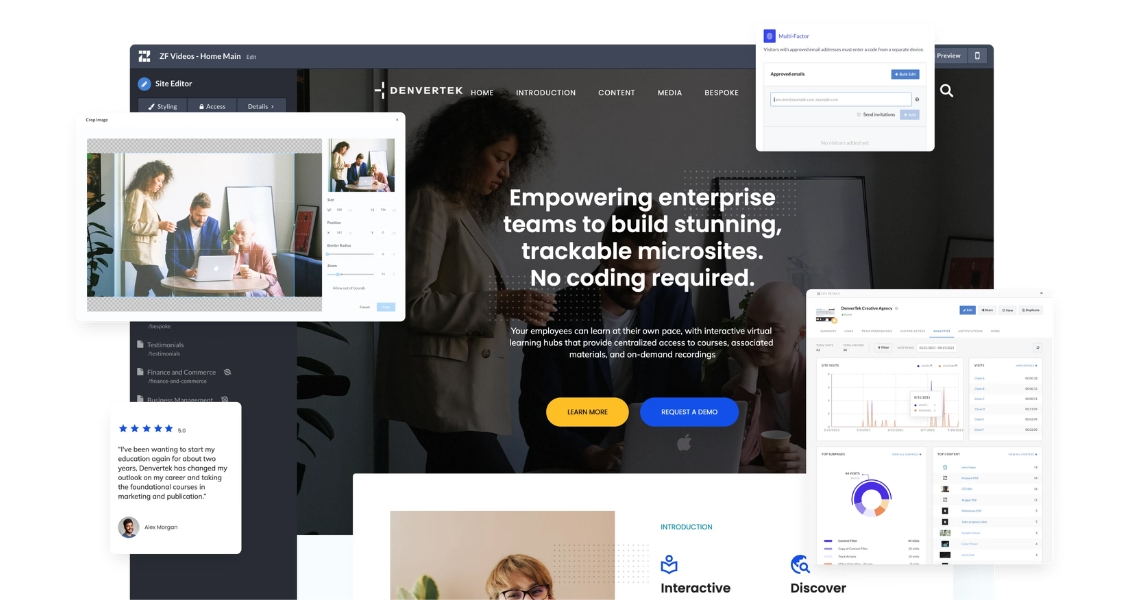
When your proposal is a Zoomforth microsite, both you and your buyer benefit. You get engagement analytics. They get a proposal they can navigate, share, and revisit without managing email attachments.
Request a demo to see how it works.
Frequently asked questions
When should you follow up after sending a proposal?
Send your first follow-up two to three business days after the proposal, unless you've agreed on a specific review timeline with the buyer. If you have analytics showing the prospect opened the proposal, follow up within 24 hours of that activity — engagement is a buying signal. If the proposal hasn't been opened after five business days, follow up sooner.
How many times should you follow up on a proposal?
Follow up a maximum of three to four times across a two to three week window. After that, send a polite 'closing the loop' message and move the deal to a lower-priority stage. Persistence past four attempts rarely converts and risks damaging the relationship for future opportunities.
What do you say in a proposal follow-up email?
Lead with value, not a status check. Reference something specific from the proposal, add a new piece of relevant information (a case study, a statistic, a market update), and end with a single low-friction question — not a yes/no on the deal. 'Is there a section you'd like to discuss in more detail?' works better than 'Have you made a decision?'
How do you follow up on a proposal without being annoying?
Add value with every touch. Each follow-up should include something new — a relevant case study, a question that advances the conversation, or an insight about their industry. Space touches at least two to three business days apart. And always give the prospect an easy way to pause the conversation without rejecting the proposal outright.
What should you write in an email when sending a proposal?
Reference the specific conversation that led to the proposal, summarize the scope in one line, flag the one or two sections most relevant to what the buyer said mattered most, and close by asking about their review process rather than asking for a decision. Skip the generic 'please find attached' opener — it undersells work that likely took days to prepare.
What should an RFP response email include?
An RFP response email should lead with the RFP reference number and submission deadline, confirm that your response follows the buyer's required structure and numbering, and offer to resolve any missing attachment or formatting issue before the evaluation committee reviews it. Evaluators sort submissions by these details first, so burying them costs you attention before the content is even read.
Should you send a proposal as a PDF attachment or a link?
A link gives you information a PDF cannot: whether the proposal was opened, which sections got attention, and whether it was shared with other stakeholders. It also avoids the size limits and spam filters that flag large attachments, and it lets you correct a typo or update a price after you hit send. A PDF still has a place as a downloadable backup, but the primary send is better served by a trackable link.