Search “proposal software” and the results blur together: e-signature tools, template libraries, and design-first platforms all use the same category name for genuinely different jobs. Picking the wrong type means paying for signature speed when your actual problem is that every proposal looks like a template, or paying for design depth when your actual problem is a five-day approval bottleneck. This guide covers the real types, what to check before buying, and how the category relates to the newer digital sales room space.
Ready to go digital?
Discover how Zoomforth can help you.
Join 500+ enterprise sales, marketing and HR teams building trackable microsites — no developer needed.
Rated 4.76/5 on G2 · Trusted by Fortune 500 teams
Thanks — we've got your request.
We'll be in touch by email to set up your demo.
While you wait, browse real microsites in our microsite inspiration gallery or learn the basics in the Zoomforth Academy.
What proposal software actually does
At its core, proposal software replaces a static document — usually a Word file or PDF — with a tool purpose-built for creating, sending, and tracking a B2B sales proposal. Most tools in the category handle three jobs: assembling the proposal from reusable content instead of starting from a blank page, giving the sender some visibility into whether the buyer engaged with it, and getting the proposal to a signed or approved state. Where tools differ is which of those three jobs they optimize for, and that difference matters more than any single feature on a comparison page.
The three types of proposal software
The category name covers at least three distinct approaches, and most of the frustration with proposal software traces back to buying the wrong type for the actual bottleneck.
Signature-first tools are built around closing a document as fast as possible. The proposal itself is often a fairly plain PDF or web page, but the signing flow, audit trail, and payment collection are deep. PandaDoc and GetAccept both sit in this lane. If the real bottleneck is a slow approval-and-signature cycle, this type solves it directly.
Template-first tools center on a large library of ready-made layouts, so a rep can assemble a proposal quickly without design help. The tradeoff is that volume and speed often come at the cost of every proposal looking similar, which matters less for high-volume, lower-stakes deals and more for competitive, high-value ones.
Interactive, brand-first platforms are built to make each proposal look custom rather than templated — closer to a small web page than a document. Qwilr and Zoomforth both sit in this lane, though the two differ in what “interactive” means in practice, from embedded video and rich layout to full section-level engagement tracking.
| Type | Optimized for | E-signature | Best for |
|---|---|---|---|
| Signature-first | Closing speed, audit trail | Usually native | Deals where the bottleneck is approval and signing, not design |
| Template-first | Volume, speed of assembly | Often available | High-volume proposals where consistency matters more than customization |
| Interactive, brand-first | Design depth, engagement visibility | Varies by vendor | Competitive or high-value deals where the proposal itself needs to signal effort |
None of these is a better version of the category overall — they answer different questions about where a deal actually gets stuck.

What to look for in proposal software
A real template library, not a blank canvas
The tool should reduce the time to a first draft, not just move the blank page from Word into a browser. Check whether templates are genuinely reusable across deal types, or whether each new proposal effectively starts from scratch inside a nicer editor.
Engagement tracking at the section level
Knowing a proposal was opened tells a rep almost nothing. The useful signal is which sections got attention, how long a buyer spent on pricing, and whether a second stakeholder has started reading — the same questions a rep would ask about any deal, just answered with data instead of a guess.
E-signature — confirmed, not assumed
Signature-first tools build the entire workflow around this, so it is safe to assume. Interactive, brand-first platforms vary: some include native signing, others expect the final signature to happen in a separate tool once the proposal itself has done its job of building the case. Ask directly rather than assuming a demo implies the feature exists.
CRM integration
Engagement data is only useful where the team already works. Native integration with the CRM the sales team actually uses — not just a generic export — determines whether proposal activity shows up in the pipeline record or lives in a separate dashboard nobody checks.
Brand customization deep enough to matter
A proposal that reads as a template with a logo swapped in undercuts the effort that went into personalizing the content. For competitive or high-value deals, how the proposal looks is part of what it communicates, not a cosmetic afterthought.
Proposal software vs. digital sales room software
Proposal software and digital sales room software get used interchangeably, but they are not quite the same category. Proposal software — even the interactive, brand-first type — centers on a single artifact: one document, moving through a review, approval, or signature flow. A digital sales room builds a full, multi-section space for a deal that can hold a proposal alongside case studies, pricing detail, and other content the buying committee needs, with analytics at the level of the whole room rather than one document.
If the gap is a single proposal that needs to look sharper and report back on engagement, proposal software is the right search. If the gap is a whole deal’s worth of content — a proposal, references, security documentation, onboarding materials — living in one trackable space for a buying committee to explore on its own, that is the digital sales room category, and it is worth reading that guide before committing to either.
Where Zoomforth fits
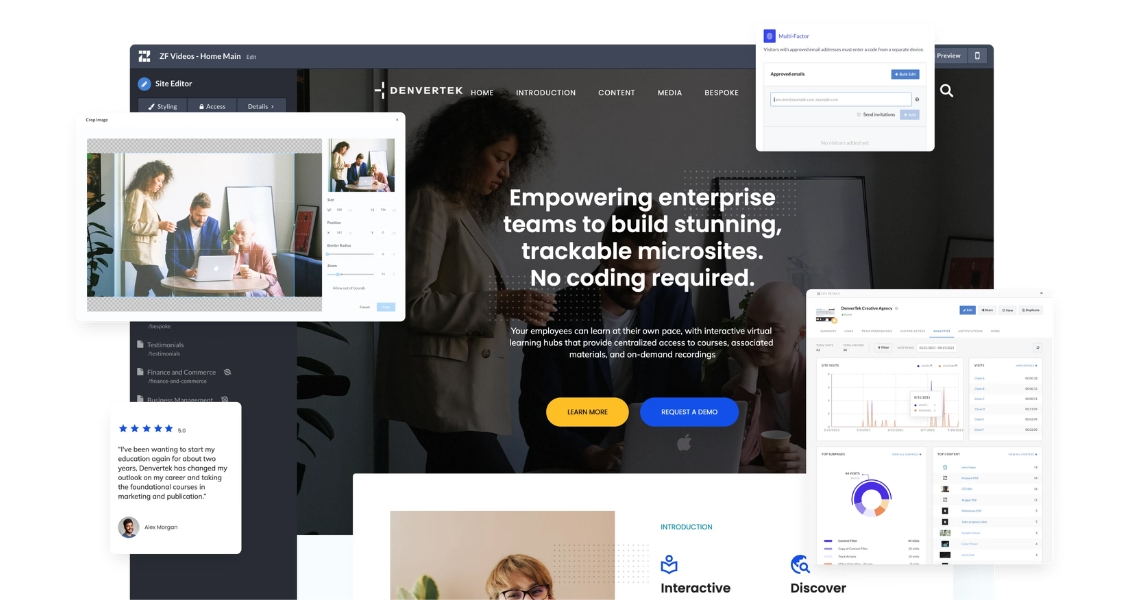
Zoomforth is an interactive, brand-first platform: proposals are built to match a specific deal or account down to layout and imagery, with section-level analytics showing exactly what a named visitor engaged with and for how long. It does not include native e-signature — teams that need a signature step built into the same tool are usually better served by a signature-first platform, and some Zoomforth customers pair it with a separate e-signature tool for that final step. Where Zoomforth earns its place is upstream of the signature: making the proposal itself worth reading closely enough that signing feels like a formality, not a debate.
See how the format works in practice in our guide to sales enablement tools, or start with the fundamentals in how to write a business proposal if the proposal’s content, not the software behind it, is the more immediate gap.
Ready to see what a proposal built to look like it was made for one specific buyer can do for your close rate? Request a demo.
Frequently asked questions
What is proposal software?
Proposal software is a category of tools that help B2B sales teams create, send, and track business proposals, replacing static documents attached to email. Most tools in the category combine templates, pricing tables, and some form of tracking, and many also include e-signature so a deal can close inside the same product.
What are the main types of proposal software?
Proposal software splits into three common types: signature-first tools built around getting a document signed as fast as possible, template-first tools focused on a large library of ready-made layouts, and interactive or brand-first platforms built to make the proposal itself look custom rather than templated. Which type fits depends on whether your bottleneck is closing speed, volume, or how the proposal reflects on your brand.
Does proposal software include e-signature?
Many tools do, but not all — it depends on the type. Signature-first proposal software (PandaDoc, GetAccept) builds the entire workflow around getting a document signed. Interactive, brand-first platforms are not all built the same way, and some rely on a separate e-signature tool for the final signing step rather than including it natively. Confirm this directly with any vendor before assuming it is included.
What should you look for in proposal software?
Look for a template library that will not require redesigning every proposal from scratch, engagement tracking that shows which sections a buyer actually read (not just whether the document was opened), CRM integration so activity reaches the pipeline record automatically, and brand customization deep enough that the proposal does not read as a generic template with a logo swapped in.
What is the difference between proposal software and digital sales room software?
Proposal software is built around a single document — even an interactive one, it is still fundamentally one artifact moving through a signature or approval flow. Digital sales room software builds a full, multi-section space for a deal that can include a proposal alongside case studies, pricing, and other content, with room-level rather than document-level analytics. Some vendors blur the line, but the underlying design goal is different: closing one document vs. giving a buyer a whole space to explore.
How much does proposal software cost?
Pricing usually scales with document or user volume rather than a flat fee. Signature-first tools often price around monthly send volume and e-signature usage. Interactive, brand-first platforms more often price around usage and design needs. Get a quote against your actual proposal volume — a team sending five high-value proposals a month has a very different cost profile than one sending fifty routine ones.