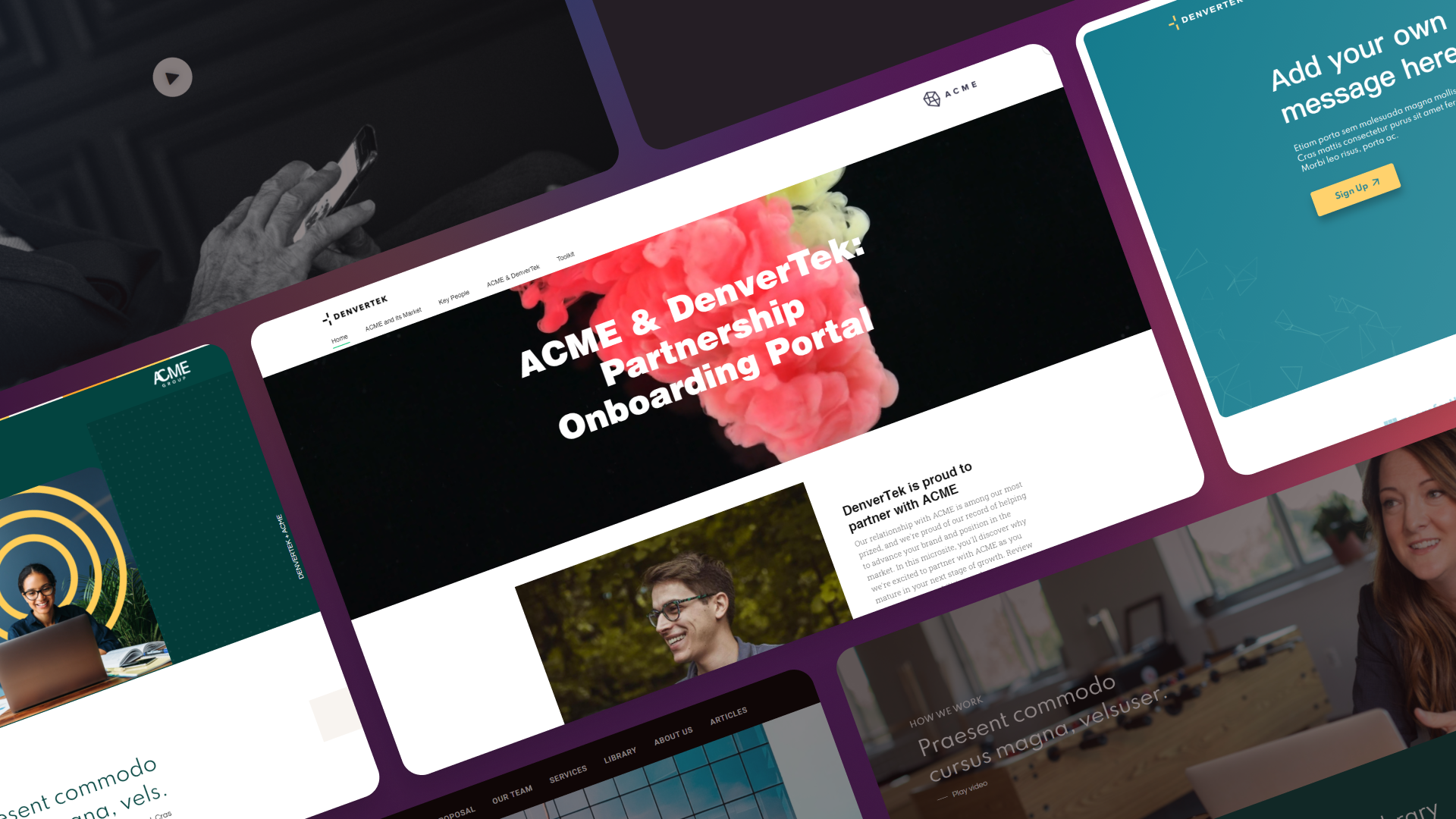
A press release announces a product launch. A generic landing page describes it. Neither does the job a launch actually needs done: giving prospects, customers, and press one focused place to understand what shipped, watch it in action, and take the next step.
That gap is why more marketing teams are building a dedicated product launch microsite instead of retrofitting an existing page. The difference shows up in what the page can do that a static landing page cannot.
Ready to build your first microsite in hours?
Join enterprise sales, marketing and HR teams building trackable microsites — no developer needed.
Rated 4.76/5 on G2 · Trusted by Fortune 500 teams
Thanks — we've got your request.
Check your inbox: we've just emailed you a link to book your demo with Wendie.
While you wait, browse real microsites in our microsite inspiration gallery, learn the basics in the Zoomforth Academy, or see what's included in Zoomforth pricing.
Why a press release and a landing page both fall short on launch day
A press release is built for distribution, not engagement. It goes out once, gets picked up or ignored, and offers no way to track who read past the second paragraph. It cannot host a product demo, cannot adapt for different audiences, and cannot be updated once it is live on a wire service.
A generic landing page fares better but still carries the wrong job description. Most landing pages exist to capture one conversion for one offer, and they get folded into the main site’s navigation and design constraints. A product launch has more moving parts than a single-offer landing page is built to carry: a teaser phase before anyone can buy, a detailed feature story on launch day, and an evolving resource library afterward. Forcing all three into a page designed for one static offer means something gets cut — usually the depth that turns curiosity into a qualified lead.
A microsite solves this because it is not bound to the main site’s template or a single conversion goal. It can change shape across the life of the launch while keeping one URL, one analytics view, and one place for the market to look.
What a product launch microsite needs to do across three phases
A launch is not a single day. It is a sequence, and the microsite should be built to support each stage without becoming three separate projects.
Phase 1: pre-launch teaser and waitlist
Before the announcement, the microsite’s job is to build anticipation and capture demand. This phase typically includes a countdown, a short description of what is coming (without giving away specifics competitors could react to), and a waitlist or early-access signup form. Capturing emails here gives you a warm list to notify the moment the product goes live — and gives sales a signal of which accounts are already paying attention.
Phase 2: launch-day hub
On launch day, the same URL flips to the full experience: the announcement, a demo video, feature detail, pricing, and a direct path to trial or purchase. This is the highest-traffic moment the page will see, driven by email, social, press coverage, and paid promotion, so it needs to answer every likely question without forcing the visitor to hunt across other pages.
Phase 3: post-launch resource center
Interest does not stop the week after launch. The third phase turns the same page into an ongoing resource center — case studies as they appear, updated FAQs based on real customer questions, webinar recordings, and integration guides. Treating this phase as an afterthought wastes the traffic and backlinks the launch already earned.
Each phase reuses the same skeleton with different content in the same slots, which is what makes the microsite approach faster than rebuilding three separate pages.
The six content blocks every product launch microsite needs
Regardless of phase, six blocks do the heavy lifting.
1. Hero announcement. A clear statement of what launched and why it matters, in one sentence a visitor can read in three seconds. This is not the place for a clever headline that requires explanation.
2. Feature breakdown. Group features by the outcome they enable rather than listing them as a spec sheet. A prospect wants to know what changes for them, not just what was built.
3. Pricing and availability. State plainly who can access the product, when, and at what cost. Ambiguity here creates support tickets and stalls sales conversations that could have closed on launch day.
4. Social proof. Early customer quotes, beta-tester results, or analyst commentary — anything that signals the launch is already validated by someone other than the company shipping it.
5. FAQ. Address the objections and logistical questions that would otherwise land in a support queue: migration paths, compatibility, contract terms, and rollout timing.
6. Call to action. One primary next step — trial, demo, or purchase — repeated at natural breakpoints down the page rather than buried once at the bottom.
Video carries particular weight on a launch microsite. A short demo embedded near the top does more to convey what changed than several paragraphs of feature copy, and it gives you a second engagement metric beyond page views: how much of the video people actually watch.
Product launch microsite timeline: start four to six weeks out
Launch dates rarely move, but microsite builds regularly start too late to do the job well. A workable timeline:
- Six weeks out: Confirm the launch date, draft the messaging, and identify which audience segments need distinct content. Start the teaser page.
- Four weeks out: Publish the pre-launch teaser and waitlist. Begin collecting signups and route them into your CRM.
- Two weeks out: Build out the launch-day content — feature breakdown, demo video, pricing, FAQ — behind a preview link so stakeholders can review before it goes live.
- One week out: Test tracking, run the page past legal and product for final sign-off, and confirm the swap from teaser to launch-day content is scheduled correctly.
- Launch day: Flip the content live, monitor engagement in real time, and be ready to adjust copy or FAQ entries based on the first wave of questions.
- Following weeks: Layer in the post-launch resource center as case studies, recordings, and support content become available.
Four to six weeks is enough runway for most launches. Complex products with multiple stakeholder sign-offs or translated content should start closer to eight weeks out.
Three habits of launch microsites that convert: personalize, track, keep the URL
Personalize by audience segment. A launch rarely means the same thing to every visitor. An existing customer wants to know what changes for their current plan; a prospect wants to know if this finally solves the objection that stalled their deal; a partner wants integration details. Building segment-aware sections — or entirely separate versions of the page for named accounts — turns a broadcast announcement into a series of relevant conversations.
Track which features get the most attention. A microsite gives you engagement data a press release never could: which sections visitors scroll to, how far they watch the demo, and which FAQ entries they open. That data tells product marketing which features actually resonated, and it tells sales which prospects are worth a follow-up call based on what they spent time reading.
Update the same URL instead of building a new page. The temptation after launch is to archive the microsite and move on. Resist it. Swapping the content while keeping the URL preserves the backlinks, bookmarks, and campaign links the launch generated, and it keeps the page’s SEO equity compounding instead of resetting to zero on a new address.
One product launch microsite for all three phases, measured long after launch day
A product launch microsite works because it treats a launch as a sequence with a beginning, a peak, and a long tail — not a single press release moment. The teams that get the most out of it build one page that can carry all three phases, personalize what different audiences see, and keep measuring engagement long after the initial announcement fades from the newsfeed.
For a broader look at how microsites perform across other use cases, see these microsite examples, and for guidance on making sure your launch page ranks, read our SEO microsite guide. If you are starting from scratch, our walkthrough on how to create a microsite covers the fundamentals, and the campaign microsite use case page shows how launch pages fit alongside events, ABM, and seasonal campaigns.
Ready to launch a page built for the whole announcement, not just the press release? Request a demo.
Frequently asked questions
What is a product launch microsite?
A product launch microsite is a standalone branded page built specifically to support one product launch. It hosts the announcement, feature details, pricing and availability, and proof points in a single, trackable destination that exists independently of the main website navigation.
How far in advance should you build a product launch microsite?
Start building a product launch microsite four to six weeks before launch day. That timeline allows for a pre-launch teaser phase, a review cycle with product and legal stakeholders, and enough buffer to test tracking and personalization before traffic arrives.
Should a product launch microsite replace the landing page after launch?
No. The most effective approach updates the same microsite URL after launch day rather than creating a new page. Swap the countdown or waitlist content for the full announcement, demo, and resource center, and keep the URL intact so backlinks, bookmarks, and campaign links continue to work.
What should a product launch microsite include?
A product launch microsite should include a hero announcement, a feature breakdown, pricing and availability details, social proof, an FAQ section, and a clear call to action to trial, demo, or purchase. Which sections matter most depends on the launch phase — pre-launch, launch day, or post-launch.