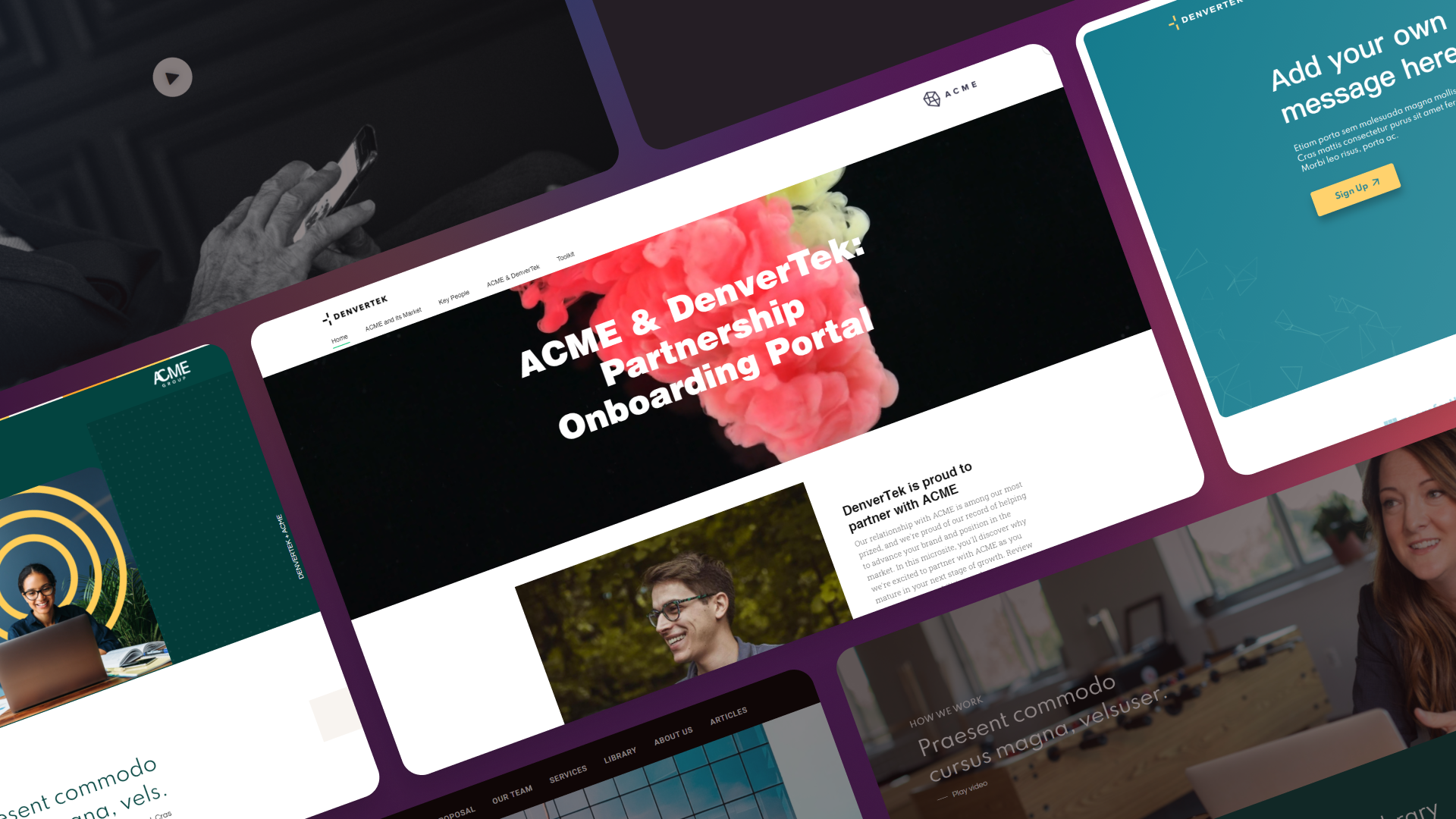
Most microsite inspiration galleries do one thing well: they show you what microsites look like. They don’t explain why a sales proposal microsite needs a completely different structure than an event microsite, or why RFP response examples should front-load credentials while onboarding examples should front-load navigation.
The format that converts isn’t the most visually impressive one — it’s the one built for the specific moment and audience it serves. This guide organizes 18 B2B microsite examples by use case and explains the structural logic that separates high-performing microsites from forgettable ones.
If you want visual inspiration across all these categories, Zoomforth’s inspiration gallery is the right starting point. If you want to understand why certain patterns work, read on.
Ready to go digital?
Discover how Zoomforth can help you.
Join enterprise sales, marketing and HR teams building trackable microsites — no developer needed.
Rated 4.76/5 on G2 · Trusted by Fortune 500 teams
Thanks — we've got your request.
Check your inbox: we've just emailed you a link to book your demo with Wendie.
While you wait, browse real microsites in our microsite inspiration gallery, learn the basics in the Zoomforth Academy, or see what's included in Zoomforth pricing.
Why use case matters more than aesthetics in B2B microsites
A prospect reading a sales proposal and a new client looking for onboarding resources are in completely different mental states. The first is skeptical and comparing you against alternatives. The second has already signed and needs information fast.
Building both microsites identically — hero section, three columns, generic CTA — fails both audiences. The decisions that determine whether a microsite converts (what goes above the fold, how navigation works, how much content to show upfront) all depend on who sees it, when, and what you want them to do next. A microsite builder with use-case templates lets you make those decisions once per format instead of once per site.
The 18 examples that follow fall into six categories: sales proposals, RFP responses, client onboarding, ABM campaigns, events, and internal hubs. For each, we’ve identified the structural patterns that separate the microsites that move deals forward from the ones that get a polite “thank you for sending this over.”
Sales proposal microsites: lead with the outcome, not the credentials
The most common mistake in sales proposal microsites is leading with company history. Your prospect opened the link because they want to know what you’ll do for them, not who you are.
The three sales proposal patterns that consistently outperform generic formats:
1. The challenge-and-solution narrative
Opens with the prospect’s problem stated in their own language — ideally language pulled from a discovery call or prior correspondence — followed immediately by the proposed solution. Company credentials appear third, as supporting evidence, not the main event. Prospects who see their problem reflected accurately read further and engage longer.
2. The evidence-first proposal
Leads with three to five data points or case study excerpts from similar clients, then explains the proposed approach. This format works for skeptical buyers who’ve heard promises before — proof before pitch. The case studies don’t have to be full narratives; a one-sentence outcome with a recognizable client name carries significant weight.
3. The personalized hub
Uses the prospect’s company name, industry terminology, and business context throughout. Sections are relabeled to reflect how the prospect talks about their work rather than using generic tabs like “Overview” or “Services.” Every element signals that this proposal was built for this account specifically, not pulled from a template at the last minute.
What all effective sales proposal microsites share: a single, prominent CTA — typically “Book a call” or “Ask a question” — accessible from every section without requiring the prospect to scroll back to the top.
RFP response microsites: proof density beats design quality
RFP reviewers work under time pressure with a scoring rubric. The microsite that wins is not necessarily the most polished — it’s the one that makes their evaluation job easiest.
The three RFP response patterns that consistently perform well:
4. The criteria-mirroring structure
Navigation matches the RFP’s own section order. If the RFP asked about team, approach, pricing, and security in that sequence, the microsite follows that sequence rather than a preferred company narrative. Reviewers scoring multiple vendors in parallel don’t want to hunt for information; they want to find each answer exactly where they expect it.
5. The evidence-dense response
Certifications, compliance documents, reference contacts, and case study links appear in the first section reviewers see — not buried in appendices three clicks deep. Each piece of evidence is labeled by the concern it addresses (security, implementation, ROI) rather than listed generically as “supporting materials.”
6. The direct comparison section
Includes a dedicated section — often labeled “Why [Company]?” or framed as a competitive differentiator page — that addresses the objections most likely to arise when the reviewer compares vendors side by side. Anticipating that comparison signals confidence and reduces the reviewer’s cognitive load. It also allows you to frame the comparison on your terms rather than waiting for the evaluation committee to define it.
Client onboarding microsites: navigation is the product
Once a client signs, their primary concern shifts from “is this the right choice?” to “what happens next?” Onboarding microsites that try to continue selling miss the moment. The job is to eliminate uncertainty and create forward momentum.
7. The week-one clarity microsite
Opens with an explicit section called “Your first week” or “What happens now,” specifying dates, deliverables, and who the client will hear from. Clients who know exactly what to expect in the first seven days are less likely to go quiet and more likely to complete onboarding steps on time.
8. The role-based portal
Different stakeholders need different information during onboarding. The IT lead needs configuration guides. The project manager needs timelines and milestones. The executive sponsor needs success metrics and escalation paths. Role-based sections — or filtered navigation that serves each stakeholder without overwhelming anyone with everything — dramatically improve onboarding completion rates.
9. The progress tracker
Includes a visual checklist or timeline that shows the client where they are in the onboarding process. Clients who can see that they’ve completed five of eight steps feel momentum. Clients staring at a single undifferentiated document page don’t know whether they’re almost done or just getting started.
10. The persistent-navigation hub
Unlike a sales microsite, where linear storytelling often works well, an onboarding microsite functions more like an internal reference tool. Navigation should remain visible at all times — not hidden behind a hamburger menu — because clients return to this page multiple times over several weeks, looking for specific information each time.
The shift from PDF handbooks to interactive onboarding microsites matters partly for the client experience and partly for the data: a PDF can’t tell you whether the client read the security setup section. A microsite can, and that engagement data helps customer success teams know when to follow up and which topics still need attention.
ABM microsites: personalization that goes beyond the logo
Account-based marketing microsites frequently settle for surface-level personalization — inserting the prospect’s name in the hero and calling it done. The examples that actually move pipeline go significantly deeper.
11. The industry-specific microsite
Replaces generic value propositions with industry-specific ones. Instead of “Build better proposals,” the hero reads “How [financial services] teams close complex enterprise deals faster.” The entire frame shifts from product marketing to peer relevance. Prospects don’t want to know that your platform works in general — they want to know that it works for companies like theirs.
12. The stakeholder-segmented microsite
If you know the buying committee includes a CTO and a CFO, each gets their own section addressing their specific concerns. Security architecture and implementation complexity for the technical buyer; total cost of ownership and ROI calculation for the economic buyer. One microsite, two parallel conversations happening within the same experience.
13. The intent-responsive microsite
Content and CTAs shift based on where the account sits in the pipeline. Early-stage accounts see educational content and a “See how it works” CTA. Late-stage accounts see competitor comparison content and a “Talk to your account executive” CTA. This approach requires intent data or CRM signal integration, but the conversion lift is substantial for accounts that have clearly indicated buying intent.
For more on how Zoomforth supports account-level personalization at scale, the account-based marketing use case page covers how teams build personalized experiences quickly.
Event and launch microsites: design for before, during, and after
Event microsites serve three distinct phases with different user needs: pre-event registration, in-event resource access, and post-event content consumption. Most event microsites are built only for the first phase and then abandoned.
14. The pre-event conversion microsite
Prioritizes one action: registration. One prominent form above the fold, with a confirmation message that tells registrants exactly what to expect next. Speaker bios go beyond a photo and title — a one-paragraph bio that answers “why is this talk worth my time?” meaningfully increases registration rates. The session agenda is formatted for scanning, with tracks clearly labeled and session lengths visible.
15. The post-event resource hub
Updates the same microsite URL after the event with recordings, slide decks, and a clear next-steps section. Post-event visitors who arrive expecting to register and find a “this event has passed” page leave immediately. Post-event visitors who find organized recordings and a follow-up CTA convert into pipeline. Maintaining the same URL also preserves any backlinks or bookmarks the microsite earned during promotion.
Internal microsites: recruiting, training and intranet
The same format works for internal audiences, where the competition is not another vendor but an unopened PDF.
16. The recruiting and employer brand hub
A role- or team-specific page instead of a generic careers listing: what the team actually works on, who the candidate would report to, and the interview process step by step. Candidates evaluating multiple offers compare what they can see, and a hiring page that answers their real questions outperforms one that recites company values. See the recruiting use case for how teams structure these.
17. The training and L&D portal
Learning and development teams have a persistent engagement problem — LinkedIn research has found that roughly half of L&D professionals struggle to get busy employees to commit time to programmes. Microsites let a full training programme be delivered as a set of short, navigable pages rather than a manual or a deck. The bite-sized structure aids retention, and embedded video, audio, polls and forms make continuous professional development substantially less of a chore than a slide deck. See the learning and development use case.
18. The intranet alternative
Some organizations need a formal intranet for compliance reasons. Many do not, and internal communications teams increasingly use microsites as a lighter knowledge hub — internal events, directories, newsletters. The requirement that makes this viable is access control: Zoomforth supports SAML and email-based authentication, so access can be restricted to holders of a company email address (a login code is sent to that address) while the public cannot reach the site at all.
Matching format to function
The patterns above reflect what each audience needs at each stage:
- Sales proposals → persuade and differentiate against alternatives
- RFP responses → prove capability against evaluation criteria
- Client onboarding → guide and reassure during the transition period
- ABM campaigns → connect your solution to this account’s specific context
- Events → mobilize registration, then extend engagement afterward
- Internal hubs → get busy colleagues to actually open and finish the thing
A microsite that treats all six scenarios as “a page with sections and a button” will underperform each one. The microsites that consistently close deals, win RFPs, and retain clients are the ones built with a specific person’s specific situation in mind.
For visual inspiration across the use cases, the Zoomforth inspiration gallery is a good place to start. To see how to build any of these formats without a developer, request a demo.
Ready to build microsites designed for your use case? Request a demo.
Frequently asked questions
What are some good B2B microsite examples?
The best B2B microsite examples vary by use case. For sales proposals, effective examples lead with the prospect's specific problem and include industry-relevant social proof. For RFP responses, strong examples mirror the RFP's own structure and make credentials easy to scan. For client onboarding, high-performing examples use role-based navigation and visible progress indicators. For ABM, the most effective microsites personalize beyond the prospect's logo to address specific stakeholder concerns.
What should a B2B microsite include?
A B2B microsite should include exactly what its specific use case requires. Sales proposal microsites need a personalized opening, the proposed solution, and relevant supporting evidence. RFP response microsites should mirror the RFP's structure and front-load credentials. Client onboarding microsites need role-based sections and clear next steps. The common thread is focus: every element should serve one specific goal for one specific audience.
How is a microsite different from a website?
A microsite is focused on a single purpose — closing a deal, onboarding a client, responding to an RFP — rather than representing an entire organization. This focus is what makes microsites effective: every section, every link, and every call to action serves one goal rather than competing for attention across multiple objectives.