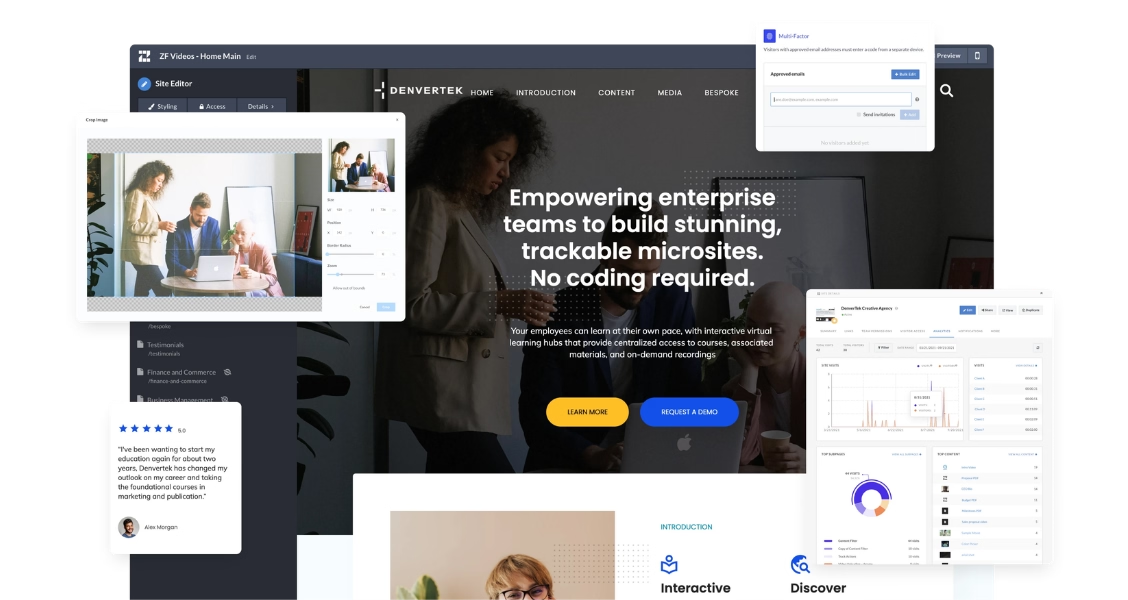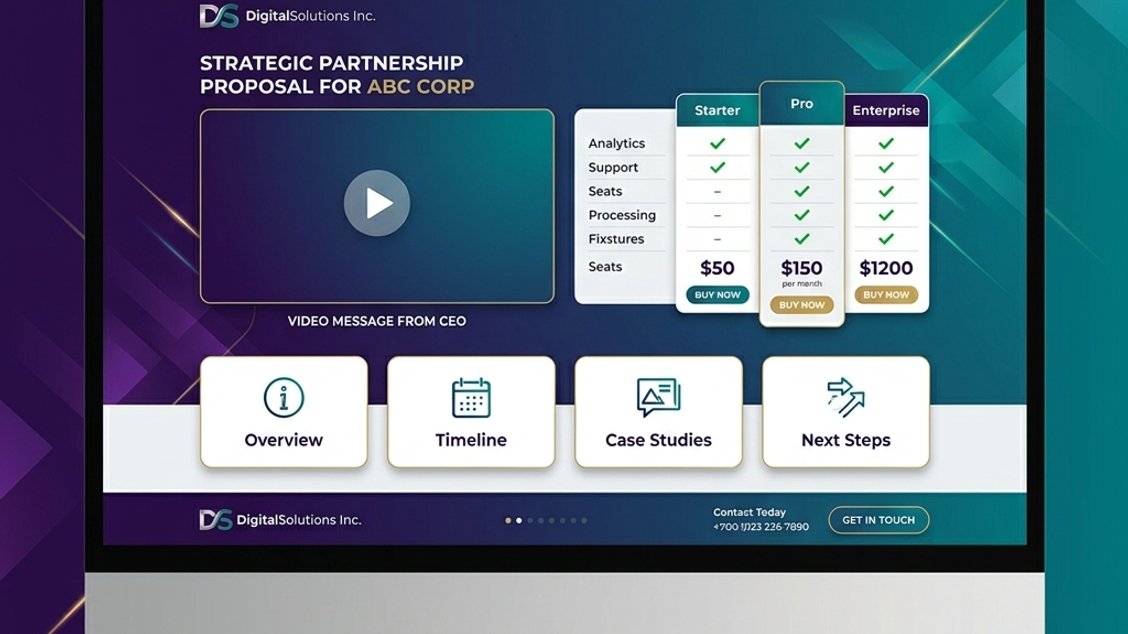
An interactive proposal is a web-based document that combines text, video, pricing tables, and analytics in a single shareable link. Unlike static PDFs, interactive proposals let buyers navigate content at their own pace — and give sellers real-time data on what sections received the most attention, leading to more targeted follow-ups and higher close rates. Static PDF proposals were designed for a world where buyers had fewer decisions to make, fewer stakeholders to consult, and less content competing for their attention. That world no longer exists. This guide walks through what makes a proposal truly interactive, ten concrete examples by use case, and how to build one with interactive sales proposal software instead of a development team.
Ready to go digital?
Discover how Zoomforth can help you.
Join 500+ enterprise sales, marketing and HR teams building trackable microsites — no developer needed.
Rated 4.76/5 on G2 · Trusted by Fortune 500 teams
Thanks — we've got your request.
We'll be in touch by email to set up your demo.
While you wait, browse real microsites in our microsite inspiration gallery or learn the basics in the Zoomforth Academy.
What makes a proposal “interactive” (and why it matters)
A proposal is interactive when the buyer can do more than read it from top to bottom. Interactivity in the context of B2B proposals means:
- Non-linear navigation — buyers jump directly to pricing, team bios, or the solution summary rather than reading 40 pages in sequence
- Embedded multimedia — videos, product demos, and animated sections within the proposal itself rather than as email attachments
- Stakeholder-specific content — different sections visible to different viewers, or organized so that the technical buyer and the executive buyer each find their relevant content immediately
- Live engagement tracking — the seller sees which sections were viewed, by whom, and for how long
Why it matters: enterprise purchasing decisions are made by committees, not individuals. The finance lead is not reading the technical architecture section. The technical lead is not comparing pricing tiers. An interactive proposal structured for how buyers actually navigate content closes deals faster than one structured for how sellers prefer to present it.
See how this works in practice in the Zoomforth inspiration gallery.
Ten interactive proposal examples by use case
1. SaaS enterprise sales proposal
A SaaS proposal built as an interactive microsite organizes content into four clear sections: executive summary, product capabilities, integration and security overview, and pricing. The executive section contains a short welcome video from the account executive; the technical section embeds a recorded demo walkthrough. The pricing section uses a comparison table with tier options clearly visible. Finance sees pricing upfront; IT sees the security documentation without scrolling past irrelevant content.
2. Management consulting engagement proposal
A consulting firm creates a personalized microsite for each client pitch. The room contains: a one-page proposal overview, full team bios (with professional photos and LinkedIn profiles linked), redacted case studies from comparable engagements, a proposed timeline with milestones, and a fee summary with clear deliverables at each phase. The client shares the link internally with the CFO and legal team — the seller sees this activity and follows up with both.
3. Agency creative pitch
A marketing or creative agency builds a proposal that opens with a short video — the creative director walking through the strategic recommendation directly to the client. Subsequent sections contain moodboards, campaign concepts, deliverables, timeline, and budget. The visual format demonstrates design capability better than any text document.
4. Professional services bid
A law firm or accounting practice submits a services proposal as a microsite rather than a PDF packet. Sections include an overview of the engagement, team credentials, relevant case examples (appropriately anonymized), fee structure, and a clear next-step CTA. The professional format of the microsite reinforces the firm’s credibility before a single meeting has occurred.
5. Enterprise software implementation proposal
A technology implementation partner creates a proposal that separates discovery, design, and delivery phases — each with its own set of deliverables, timeline, and team. The buyer’s IT team reviews the technical architecture in the implementation section; the procurement team reviews the commercials in the pricing section. Both can access their relevant content directly.
6. RFP response presented as a microsite
Instead of a 50-page PDF, a team responds to an RFP with a structured microsite that mirrors the evaluation criteria from the original request. Each section corresponds to a RFP requirement, with supporting evidence — case studies, data, team credentials — embedded directly. Evaluators can navigate to any section directly rather than scrolling through a document in sequence.
7. Financial services product proposal
A wealth management firm or institutional investment manager creates a proposal microsite for a high-value client prospect. The room contains: an overview of the firm’s strategy, relevant performance data (with appropriate caveats), team biographies, compliance documentation, and fee structures. The client can share the secure link with their own advisors.
8. Recruitment agency candidate slate
A recruitment firm presents a shortlist of candidates as an interactive proposal rather than an email chain. Each candidate has a dedicated section with their profile, relevant experience summary, compensation expectations, and availability. The hiring manager can add internal comments, share specific profiles with the line manager, and provide feedback through the same link — reducing email thread confusion significantly.
9. Client onboarding proposal
A professional services firm creates an onboarding microsite as part of the post-sales process — a hybrid of proposal and client onboarding hub. The microsite outlines the onboarding schedule, introduces the client team, provides setup documentation, and confirms the agreed milestones. It transitions seamlessly from “this is what we will do” to “this is what we are doing.”
10. Partnership or vendor proposal
A company seeking a strategic partner or vendor relationship creates a proposal microsite that explains the partnership model, business case, joint go-to-market strategy, and proposed commercial terms. The interactive format allows each stakeholder on the receiving end — business development, finance, legal — to review the section most relevant to them without reading the entire document.
How to build an interactive proposal without code
Building an interactive proposal with Zoomforth follows four steps:
Choose a template. Zoomforth offers templates designed for specific proposal types — sales proposals, proposal presentations, RFP responses, and onboarding hubs. Each template is pre-structured with the sections most common to that deal type.
Add your core content sections. Include an executive summary, scope of work, pricing, team bios, case studies, and a clear CTA. Organize each section as a distinct tile or page within the microsite.
Embed multimedia. Add a welcome video from the account executive, a product demo clip, or a client testimonial. Video increases time-on-page and signals to buyers that the seller invested effort in this specific deal.
Share and track. Send one secure link. Monitor section views, visitor count, and time-on-content from your Zoomforth analytics dashboard. Use this data to personalize your follow-up rather than guessing what the buyer cared about.
Interactive proposal vs. PDF: the data
The case for interactive proposals is not anecdotal. Buyers receiving content-rich digital experiences spend more time on the materials, share them with more internal stakeholders, and convert at higher rates than those receiving PDF attachments.
The mechanism is straightforward: PDFs are designed to be read once, linearly, by one person. Enterprise purchasing decisions involve multiple people, non-linear evaluation, and repeated reviews over days or weeks. An interactive proposal is designed for how buyers actually make decisions — not how sellers prefer to present.
Key advantages of interactive proposals over PDFs:
| Criteria | Interactive proposal | Static PDF |
|---|---|---|
| Navigation | Non-linear, stakeholder-specific | Linear, one-size |
| Multimedia | Embedded video and animation | Limited by file size |
| Analytics | Full engagement tracking | None |
| Updates | Instant, no resend required | Resend required |
| Sharing | One link, tracked | Forwarded attachments |
| Branding | Fully custom | Template-limited |
To see how enterprise teams structure these proposals end to end, explore Zoomforth’s sales microsites for interactive proposals.
Ready to send proposals buyers read? Request a demo.
Frequently asked questions
What is an interactive proposal?
An interactive proposal is a digital document or microsite that goes beyond static text — it includes embedded videos, clickable pricing tables, animated sections, and real-time analytics so the sender knows how buyers engage with the content.
How do interactive proposals improve close rates?
Interactive proposals improve close rates because they are more engaging than PDFs, allow buyers to self-navigate to the sections most relevant to their role, and give sellers data on which content drove interest — enabling more targeted follow-ups.
What software do I need to create an interactive proposal?
You can create interactive proposals using a microsite builder like Zoomforth, which offers drag-and-drop templates, video embedding, and visitor analytics without requiring any coding skills.