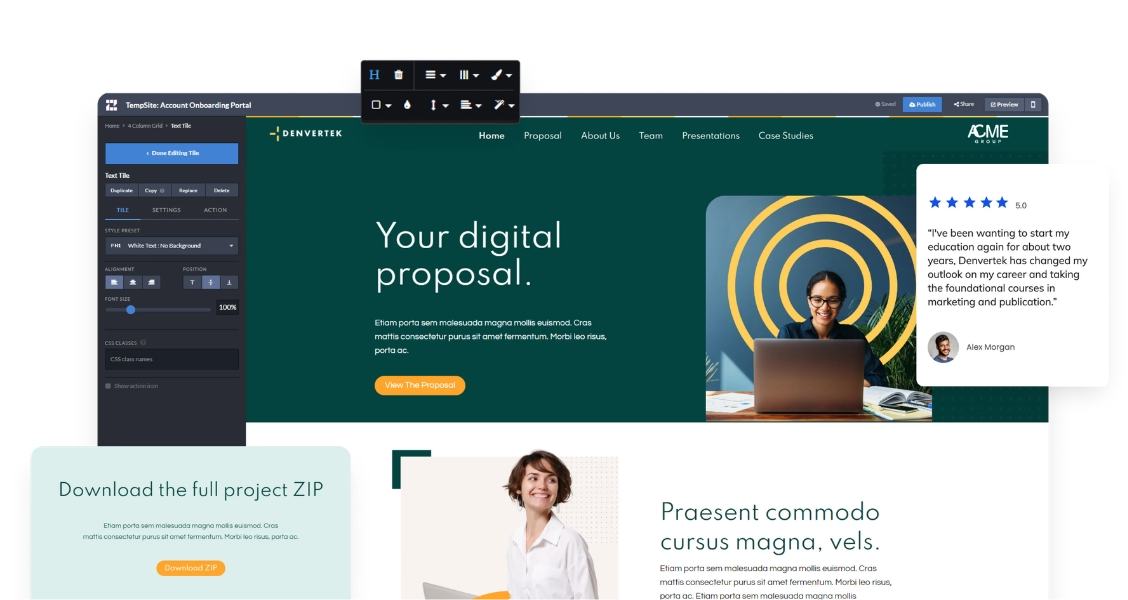
If you already know what a digital sales room is, the next question is what one actually looks like once it’s built for a real deal. The content, structure, and access rules change significantly depending on where the deal is in the pipeline and how many people are involved in the decision.
This guide walks through 10 digital sales room patterns organized by sales scenario. Each one includes what the room contains, why that structure works for the scenario, and how to adapt it to your own deal.
Ready to send sales content you can track by stakeholder?
Join enterprise sales, marketing and HR teams building trackable microsites — no developer needed.
Rated 4.6/5 on G2 · Trusted by Fortune 500 teams
Thanks — we've got your request.
Check your inbox: we've just emailed you a link to book your demo with Wendie.
We'll email a written quote for your team to the address you gave us by the next business day.
While you wait, browse real microsites in our microsite inspiration gallery, learn the basics in the Zoomforth Academy, or see what's included in Zoomforth pricing.
Late-stage enterprise deal rooms centered on the mutual action plan
By the time an enterprise deal reaches final approval, the content problem shifts from “does the buyer understand our product” to “can both sides coordinate the final steps.” A late-stage deal room built for this moment leads with a mutual action plan — a shared timeline listing each remaining step (security review, legal redline, procurement sign-off, contract execution) with an owner and a target date for every item.
Below the action plan, the room includes final pricing broken into tiers, a security documentation library (SOC 2 reports, data processing agreements, architecture diagrams), and a section addressed to each named stakeholder still active in the deal.
What made it effective: The mutual action plan turned a vague “let’s close this by end of quarter” goal into a visible, dated checklist both sides could see updating in real time. When a step slipped, it was obvious to everyone which side owned the delay — which kept the deal moving instead of stalling in ambiguity.
RFP response rooms built around the compliance matrix
An RFP response is scored against a fixed list of requirements, so the room has to mirror that structure rather than a typical sales narrative. The most effective pattern opens with a compliance matrix — every requirement from the RFP listed with a direct yes, no, or partial response — before any marketing content appears.
Beneath the matrix, the room breaks out requirement-by-requirement detail (each with supporting evidence, not just a checkbox), then adds team bios for the account team who would deliver the engagement, and reference materials the evaluation committee can hand to non-attending stakeholders.
What made it effective: Evaluators reviewing a stack of submissions reward the vendor who makes scoring easiest. Leading with the compliance matrix meant the buyer’s committee could find every answer without hunting through a lengthy document, which shortened the internal review cycle and reduced follow-up questions. For more on this format, see our digital sales proposals guide.
Professional services pitch rooms segmented by industry case study
A professional services firm pitching a new engagement built a room where the case study section was segmented by industry rather than listed chronologically. A prospect in healthcare saw healthcare engagements first; a prospect in financial services saw financial services engagements first — the same underlying case study library, reordered per room.
The room also included team credentials specific to the proposed engagement (not a generic “meet the firm” page), along with a scope and timeline section broken into phases with clear deliverables at each stage.
What made it effective: Segmenting case studies by industry meant the first proof point a prospect saw was directly relevant to their sector, rather than an unrelated success story they had to mentally translate. That relevance mattered more to the buying decision than the total number of case studies included.
Renewal and expansion rooms anchored on usage data
For an existing customer approaching renewal, the room looked nothing like a new-logo pitch. It opened with the customer’s own usage data — adoption rates, feature usage, and outcomes achieved since the original purchase — followed by an ROI recap quantifying the value delivered against the original business case.
Below that, the room presented two or three expansion options (additional seats, a new module, an upgraded tier) as optional add-ons rather than a hard renewal ask.
What made it effective: Leading with the customer’s own data made the renewal conversation evidence-based instead of relationship-based. The account team didn’t have to argue that the product delivered value — the usage numbers did that, which freed the conversation to focus on what to add next rather than whether to continue at all.
Sales rooms for multi-stakeholder deals with role-based sections
A deal with a wide buying committee — economic buyer, technical evaluator, and end users all involved in the same decision — used a room structured around role-based navigation instead of one linear scroll. Landing on the room, each visitor could choose a path: “For finance and leadership” surfaced ROI modeling and total cost of ownership; “For IT and security” surfaced architecture diagrams and a security FAQ; “For day-to-day users” surfaced workflow walkthroughs and training material.
What made it effective: Instead of forcing every stakeholder to scroll past content meant for someone else, the room let each committee member self-select the section relevant to their concerns within the first few seconds. Analytics then showed the seller exactly which roles had engaged and which hadn’t — flagging, for example, that the technical evaluator had never opened the room three days before the scheduled decision date.
Executive sponsor rooms built for a single decision-maker
Some deals hinge on one senior sponsor whose time is limited to a few minutes of attention. A room built for this scenario stripped out everything except an executive summary, a one-screen ROI snapshot, and a single clear next step (approve, schedule a call, or forward to a delegate).
What made it effective: Restraint was the differentiator. Rather than including every asset available, the team removed anything that wasn’t essential to a five-minute read, which respected the sponsor’s limited time and made the next step unambiguous.
Free trial and product-led sales rooms that pair usage with human follow-up
For a product-led motion where prospects start on a free trial, the room served as the bridge between self-serve usage and a sales conversation. It included the prospect’s own trial activity (features tried, milestones reached), a comparison of plan tiers mapped to what the prospect had already used, and a short video from the account executive addressing the specific features the prospect had explored.
What made it effective: Referencing the prospect’s actual trial behavior, rather than generic plan comparisons, signaled that a human had reviewed their usage before reaching out — which made the upgrade conversation feel earned rather than scripted.
Partner and channel deal rooms with co-branded sections
In a deal involving a reseller or implementation partner, the room needed to represent two companies without confusing the buyer about who owned what. The solution was a co-branded layout with both logos in the header and clearly labeled sections: the vendor’s product overview and pricing, and the partner’s implementation plan and local support details.
What made it effective: Clear labeling prevented the common channel-deal problem where a buyer can’t tell which company is responsible for which part of the engagement. Separating the sections (rather than blending the copy) let each party maintain its own voice while sharing one link.
Legal and procurement rooms focused on redline tracking
Once a deal moves into contract negotiation, procurement and legal stakeholders need a different kind of room than the one used earlier in the sales cycle. This pattern included the current contract draft, a running log of redline status by clause, and links to supporting compliance documents (data processing agreements, insurance certificates, service-level terms) that legal teams request as a matter of course.
What made it effective: Centralizing redline status in the room — rather than tracking it across a chain of emailed Word documents — gave both sides a single source of truth for which clauses were open, resolved, or awaiting a response, cutting down on the “which version is this” confusion that typically slows contract review.
Post-demo follow-up rooms that recap and personalize
Immediately after a discovery call or demo, a room built as a personalized recap outperformed a generic thank-you email. It included a short recap of the specific problems discussed on the call, a recording of the demo itself, case studies matched to the use case the prospect described, and a clear next-step scheduling link.
What made it effective: Referencing the actual conversation — rather than sending the same follow-up template used for every prospect — kept the momentum from the call intact and gave a way for stakeholders who weren’t on the call to catch up on exactly what was discussed. For a related format, see these interactive proposal examples.
3 traits all 10 digital sales room examples share
Across all 10 patterns, the content and structure vary by scenario, but three characteristics hold constant.
A single home for all deal content. In every example, the room replaced a scattered set of email attachments and document versions with one link. Whatever the scenario, buyers had one place to return to instead of searching their inbox for the latest version.
Stakeholder-specific access or content. Whether through explicit role-based navigation, a co-branded partner layout, or a stripped-down executive summary, each room shaped what a given visitor saw based on who they were and what they needed to decide.
Engagement visibility for the seller. In every pattern, the seller could see who opened the room, which sections got attention, and where a stakeholder hadn’t engaged yet. That visibility is what separates a digital sales room from a well-designed PDF — the format keeps working for the seller after the link is sent.
Ready to build a digital sales room for your next deal? Request a demo.
Frequently asked questions
What is an example of a digital sales room?
An example of a digital sales room: an enterprise software vendor builds a branded microsite for a late-stage deal that includes a mutual action plan, pricing tiers, a security documentation library, and role-specific sections for the economic buyer, technical evaluator, and procurement lead — all behind a single shared link the seller can update as the deal progresses.
What should a digital sales room include for a multi-stakeholder deal?
For a multi-stakeholder deal, a digital sales room should include role-based sections that route each buying committee member to the content relevant to them: ROI and business case for the economic buyer, technical documentation and integration details for the evaluator, and day-to-day workflow content for the end user, all accessible from the same link.
How is a digital sales room different for an RFP response versus a renewal?
An RFP response digital sales room is organized around a compliance matrix and requirement-by-requirement answers, since the buyer is scoring submissions against a fixed list. A renewal digital sales room is organized around usage data, ROI recap, and expansion options, since the buyer already has a relationship and is deciding whether to continue or grow it.
What do all effective digital sales room examples have in common?
Effective digital sales room examples share three traits regardless of scenario: they act as the single home for all deal content instead of scattering it across emails and attachments, they organize or restrict content by stakeholder role, and they give the seller visibility into who viewed what and when.