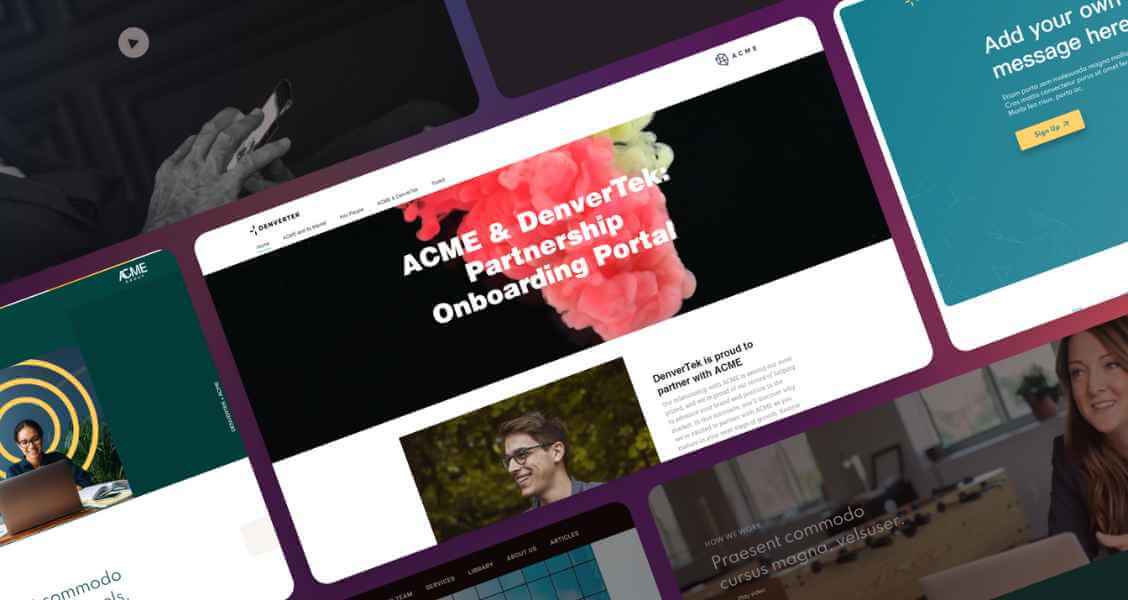
If you are evaluating a content experience platform — for sales proposals, marketing campaigns, client portals, or ABM microsites — the demo is where most buyers make their decision. The problem is that demos are designed to showcase strengths, not surface gaps. A structured evaluation checklist turns the demo from a sales presentation into a real assessment.
This checklist covers the 18 criteria that matter most for enterprise B2B teams, organized into six categories. Use it to score platforms consistently, ask the right questions in each demo, and avoid the common mistake of choosing based on the polish of the presentation rather than the fit of the product.
Ready to turn content marketing assets into interactive microsites?
Join enterprise sales, marketing and HR teams building trackable microsites — no developer needed.
Rated 4.6/5 on G2 · Trusted by Fortune 500 teams
Thanks — we've got your request.
Check your inbox: we've just emailed you a link to book your demo with Wendie.
While you wait, browse real microsites in our microsite inspiration gallery, learn the basics in the Zoomforth Academy, or see what's included in Zoomforth pricing.
How to use this content services platform checklist in a demo
Before any demo, define which criteria are must-haves versus nice-to-haves for your specific situation. For most enterprise teams, security and CRM integration are non-negotiable; for a small marketing team, ease of use may outweigh enterprise scalability.
Score each platform on the same scenario. Ask every vendor to demonstrate the same task — for example, “build a branded proposal page, share it securely, and show me the engagement data.” Running an identical test across platforms is the single most reliable way to compare them fairly. For a reference point, map the criteria below against Zoomforth’s microsite platform features.
Category 1: Content creation and branding
1. No-code editor for non-technical users
The people who will actually build content — sales reps, marketing coordinators, recruiters, customer success managers — are rarely technical. The editor must be genuinely usable by them without help from IT or web developers.
Ask in the demo: Have a non-technical member of your team attempt to build a simple page during the trial. If it requires a developer or a support call, the platform will not scale across your organization.
2. Automatic brand enforcement
In any organization with more than a handful of content creators, brand consistency becomes a control problem. The platform should enforce your brand standards — colors, fonts, logos, spacing — automatically, so every page produced is on-brand without manual review.
Ask in the demo: Can an admin lock brand elements so that individual creators cannot deviate? What happens when someone tries to use an off-brand color or font?
3. Template library and reusability
Templates are what make content production scalable. The platform should let you build approved templates for each use case — proposal, onboarding portal, campaign page — that creators can duplicate and customize without starting from scratch.
Ask in the demo: Can we build our own templates, lock the structure, and let creators only edit designated content areas?
4. Rich media and interactivity
Modern content experiences include embedded video, interactive sections, tabbed content, accordions, and mobile-responsive layouts. Assess whether the platform supports the content formats your audience expects.
Ask in the demo: Show me a page with embedded video, tabbed sections, and an animation, and show me how it renders on mobile.
Category 2: Analytics and engagement tracking
5. Visitor-level identification
This is the criterion that most distinguishes a content experience platform from a generic page builder. Can you see which specific company visited your content — not just aggregate page views? For sales and ABM use cases, company-level visitor identification is the difference between data you can act on and data you cannot.
Ask in the demo: When someone from a target account opens my content, what exactly can I see about who they are?
6. Section-level engagement data
Beyond knowing that a page was visited, can you see how long the visitor spent on each section, which links they clicked, and how far they scrolled? Section-level data is what enables intelligent sales follow-up.
Ask in the demo: Show me the engagement report for a single visitor — section by section.
7. Sharing and forwarding visibility
In B2B deals, the person you send content to often forwards it to colleagues. Can you see when content is shared internally, and how many people in the buying committee have engaged?
Ask in the demo: If my champion forwards this to their CFO, will I know?
8. Real-time notifications
Timeliness matters in sales. Does the platform notify reps in real time when a prospect opens or re-engages with their content, so they can follow up while interest is high?
Ask in the demo: What notification do I get when a prospect opens my proposal, and how fast?
Category 3: Security and compliance
9. SOC 2 Type II certification
For any enterprise deployment, SOC 2 Type II is the baseline security certification. It verifies that the platform has audited controls around security, availability, and confidentiality.
Ask in the demo: Can you provide your current SOC 2 Type II report under NDA?
10. Single sign-on (SSO/SAML)
For internal use cases — onboarding portals, internal communications — SSO integration is essential for both security and user experience. It also signals enterprise-readiness.
Ask in the demo: Do you support SAML-based SSO with our identity provider?
11. Access controls and authentication
For content containing sensitive information — pricing, proposals, client data — the platform needs granular access controls: password protection, email-based authentication, allow/deny lists, and session timeouts.
Ask in the demo: Show me every option for controlling who can access a piece of content.
12. Data residency and GDPR compliance
For organizations operating in regulated industries or across the EU/UK, data residency options and GDPR compliance are requirements, not preferences.
Ask in the demo: Where is our data hosted, and what data residency options do you offer?
Category 4: Integrations
13. CRM integration
For sales and ABM use cases, CRM integration (Salesforce, HubSpot) is what makes the platform part of the workflow rather than a separate silo. Reps should be able to create and share content from within their CRM, and engagement data should flow back into deal records.
Ask in the demo: Show me how a rep shares content and sees engagement data inside Salesforce.
14. Marketing automation and analytics integrations
For marketing use cases, integration with your marketing automation platform and analytics stack (GA4, marketing automation tools) ensures content engagement feeds into your broader measurement.
Ask in the demo: How does engagement data flow into our marketing automation and analytics tools?
Category 5: Scalability and administration
15. Multi-team and multi-brand support
As usage grows across departments, the platform needs to support multiple teams, multiple brands or sub-brands, and role-based permissions — without each team’s content interfering with another’s.
Ask in the demo: How does this work when five different teams, each with their own brand guidelines, use it simultaneously?
16. User management and permissions
Administrators need granular control over who can create, edit, publish, and access content. Role-based access control is essential at enterprise scale.
Ask in the demo: Walk me through the admin panel — how do I manage 200 users across different roles?
Category 6: Total cost and implementation
17. Transparent total cost of ownership
The license fee is rarely the full cost. Ask about implementation fees, add-on module costs, per-seat versus flat pricing, overage charges, and what is included versus what costs extra.
Ask in the demo: What is the total annual cost for our team size, including every add-on we would need for the use cases we discussed?
18. Implementation and onboarding effort
How long until your team is productive? What does implementation actually involve — and who does the work, you or the vendor? A platform that takes six months to deploy has a very different cost profile than one productive in a week.
Ask in the demo: Walk me through exactly what the first 30 days of implementation look like, and what my team has to do.
Content evaluation matrix: weight and score each platform 1 to 5
Bring the criteria together into a weighted scorecard. Assign each criterion a weight based on its importance to your situation, score each platform 1 to 5, and multiply.
| Category | Criteria | Typical weight |
|---|---|---|
| Content creation and branding | No-code editor, brand enforcement, templates, rich media | High |
| Analytics and engagement | Visitor identification, section data, sharing visibility, notifications | High for sales/ABM |
| Security and compliance | SOC 2, SSO, access controls, data residency | Critical for enterprise |
| Integrations | CRM, marketing automation | High for sales/marketing |
| Scalability and administration | Multi-team, user management | Grows with org size |
| Total cost and implementation | TCO transparency, implementation effort | Always relevant |
The weighting is what personalizes the checklist to your situation. A sales organization will weight analytics and CRM integration heavily. A marketing team running public campaigns may weight branding and ease of use higher. A regulated enterprise will treat security as a gating requirement rather than a scored criterion.
4 common mistakes in content platform evaluation
Choosing on demo polish rather than fit. The most impressive demo does not always come from the best-fit platform. Score against your criteria, not against your impression of the presenter.
Skipping the hands-on trial. A platform that looks easy in a guided demo may be difficult in practice. Have your actual end users build something real before deciding.
Underweighting total cost. The cheapest license can become the most expensive deployment once implementation, add-ons, and required integrations are included. Get the full number.
Treating analytics as a feature rather than a differentiator. For sales and ABM use cases, visitor-level engagement analytics is often the single highest-value capability — yet it is easy to overlook in a demo focused on content creation.
Running a formal procurement process with a scoring committee? The long-form version of this checklist — 15 criteria with the specific questions to put to each vendor — is in how to evaluate a content experience platform.
Zoomforth against this checklist: SOC 2 Type II, SSO, CRM integration
Zoomforth is a content experience platform built for enterprise B2B teams. It is designed around the criteria that matter most in this checklist:
- No-code editor and brand enforcement: Business teams build on-brand content without development resources; admins lock brand standards centrally.
- Visitor-level and section-level analytics: See which company visited, how long they spent on each section, and whether they shared the content internally.
- Enterprise security: SOC 2 Type II certified, with SSO/SAML, MFA, granular access controls, and GDPR compliance.
- CRM integration: Salesforce and HubSpot integration so reps create, share, and track content inside their existing workflow.
- Scalability: Multi-team and multi-brand support used by enterprises including three of the Big Four accounting firms.
Request a demo and use this checklist to evaluate Zoomforth on the criteria that matter to your team. For a deeper look at the category, read the content experience platform guide.
Frequently asked questions
What should you evaluate in a content experience platform?
Evaluate a content experience platform across six areas: content creation and branding (no-code editor, brand enforcement, templates), analytics (visitor-level tracking, section engagement), security (SOC 2, SSO, MFA, access controls), integrations (CRM, SSO, marketing automation), scalability (multi-team, multi-brand support), and total cost of ownership including implementation.
What questions should you ask in a content platform demo?
Ask: Can non-technical users build content without help? Does it enforce brand standards automatically? Can I see which specific company visited and which sections they read? What security certifications do you hold? How does it integrate with our CRM? What does onboarding and implementation actually involve? What is the total annual cost including all add-ons?
What is the difference between a content experience platform and a content management system?
A content management system (CMS) manages and publishes website content for broad audiences. A content experience platform (CXP) builds targeted, trackable web experiences — microsites, proposals, portals — for specific audiences, with visitor-level analytics and access controls built for sales and marketing use cases rather than website publishing.
How do you compare content experience platforms?
Compare platforms on the same evaluation criteria using a weighted scorecard. Define your must-have requirements first (often security and CRM integration for enterprise teams), then score each platform on branding, analytics depth, ease of use, integrations, scalability, and total cost. Run the same test scenario in each demo for a fair comparison.
What security features should a content experience platform have?
Enterprise content experience platforms should offer SOC 2 Type II certification, single sign-on (SSO/SAML), multi-factor authentication (MFA), granular access controls, password protection for individual sites, session timeout settings, and GDPR compliance. For regulated industries, ask about data residency options.